
Waste-Saver: use up, mark down, track
The big picture
Most bakeries lose money to waste they never see. Waste-Saver gives you three simple tools on one page (Waste-Saver in the sidebar):
- Ingredients approaching end-of-life — use them before they spoil.
- Surplus markdown — sell slow-moving stock instead of binning it (for bakers who sell ready stock).
- A waste log + dashboard — record what happened and see the money you saved.
1. Ingredients approaching end-of-life
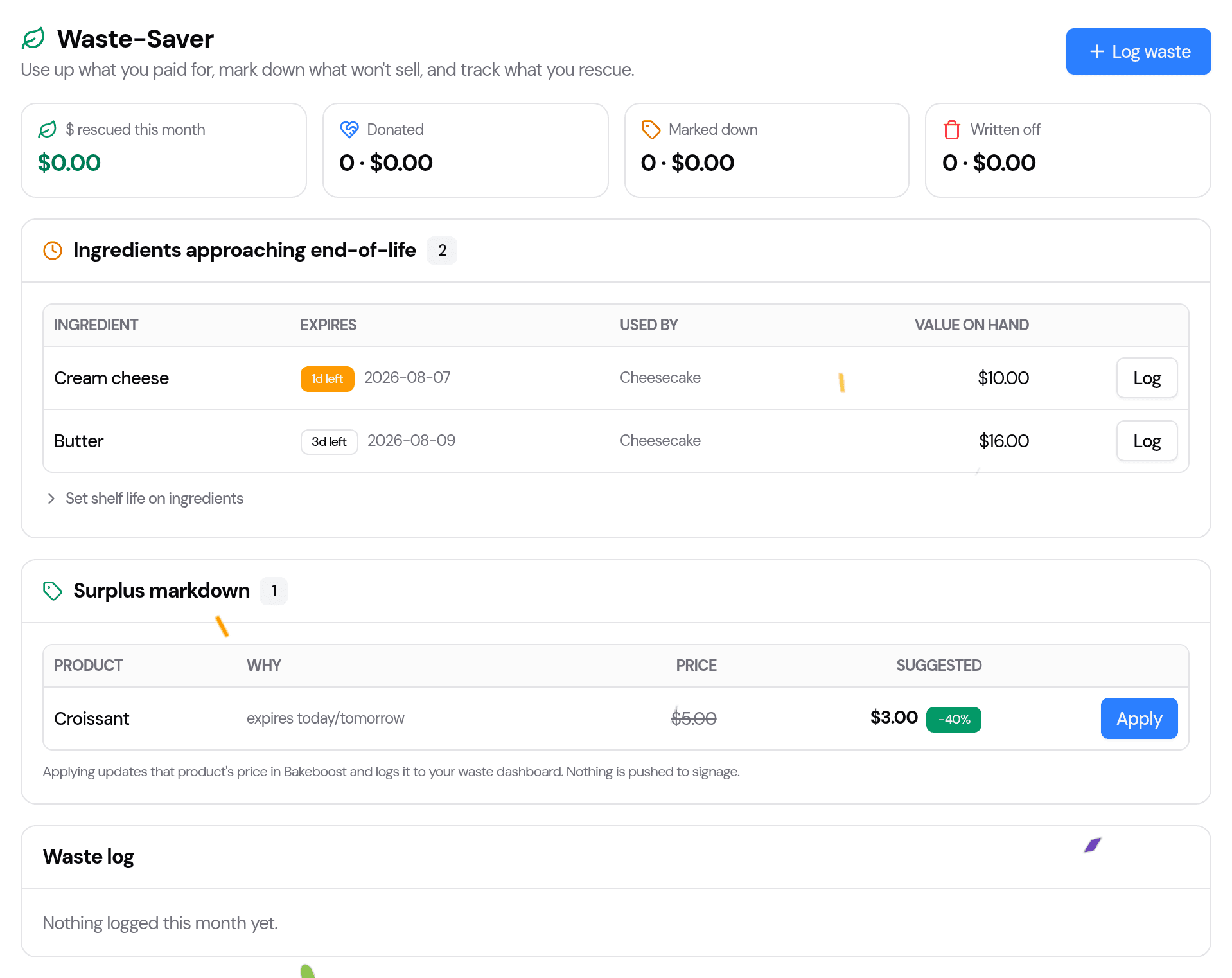
For each ingredient you give a shelf life, Waste-Saver works out when the freshest batch you bought will go off, and flags anything within the next week — soonest first — with:
- how many days are left,
- what uses it (the recipes it's in), so you know what to bake or promote, and
- the value still on hand, so you can see what's at stake.
Set a shelf life (once per ingredient)
Under the list, open Set shelf life on ingredients and type the number of days each keeps for. That's all it needs — ingredients with no shelf life set are simply left out (no false alarms).
2. Surplus markdown (for bakers who sell ready stock)
If you sell ready stock through a storefront or the in-store POS, Waste-Saver flags slow movers and near-expiry items and suggests a markdown (20%, 30% or 40%) based on how much is sitting versus how much you've sold, and how close it is to its date. Press Apply and it:
- updates that product's price in Bake Boost, and
- logs the markdown to your dashboard.
If you bake purely to order, there's no shelf stock to discount, so this panel explains that rather than showing an empty list — the ingredient nudges above are your waste lever.
3. Log what happened, and see what you rescued
Use Log waste (or the Log button on a near-expiry item) to record an outcome:
- Donated — with quantity, estimated value and a reason (handy for your records).
- Written off — binned, so you can see what's slipping through.
- Marked down — usually added for you when you Apply a markdown.
The dashboard at the top rolls the month up into $ rescued, donated, marked down and written off. For a markdown, tick Sold in the log once it sells so it counts toward what you rescued.
Tips
- Start with your most perishable ingredients (dairy, cream, fresh fruit) — that's where a shelf life pays off fastest.
- Check it with your morning prep — the near-expiry list doubles as a "bake these today" hint.
- Log donations as you go — a two-second entry now is a clean record at tax time.
Last updated August 6, 2026