
Email marketing campaigns
Email campaigns are a Growth feature (with higher sending limits on Pro). You'll find everything under Campaign in the sidebar: Campaigns, Lists, Subscribers and Templates.
1. Build your audience
Before you send, you need people to send to.
- Subscribers are the individual contacts on your list. Customers can opt in from your storefront, and you can add or import subscribers yourself.
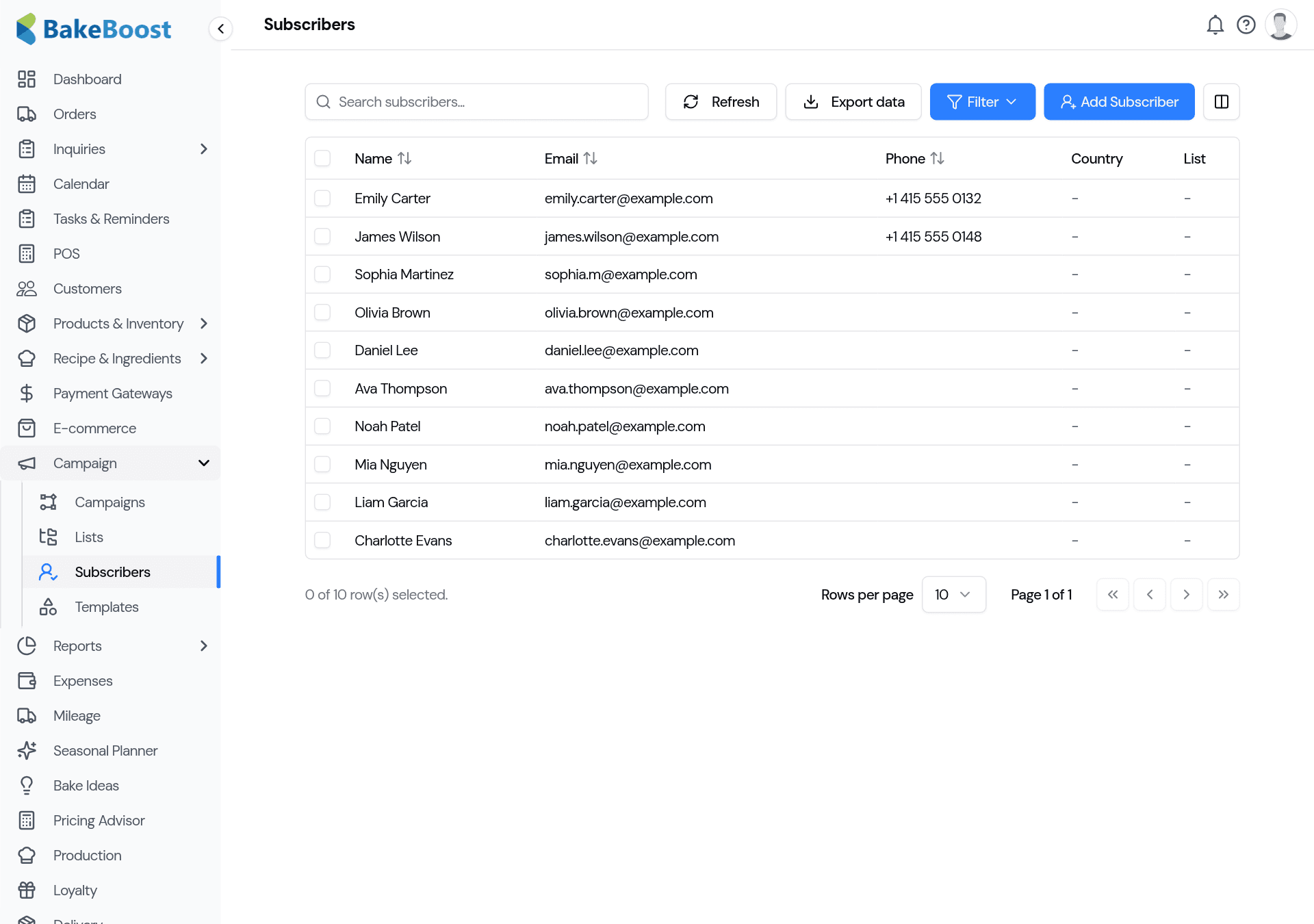
- Lists are groups of subscribers — for example Newsletter, Wholesale, or Regulars — so you can send the right message to the right people rather than everyone every time.
2. Write a campaign
Go to Campaigns and click Create Campaign. A simple four-step wizard walks you through it: Details → Design → Audience → Review & Send.
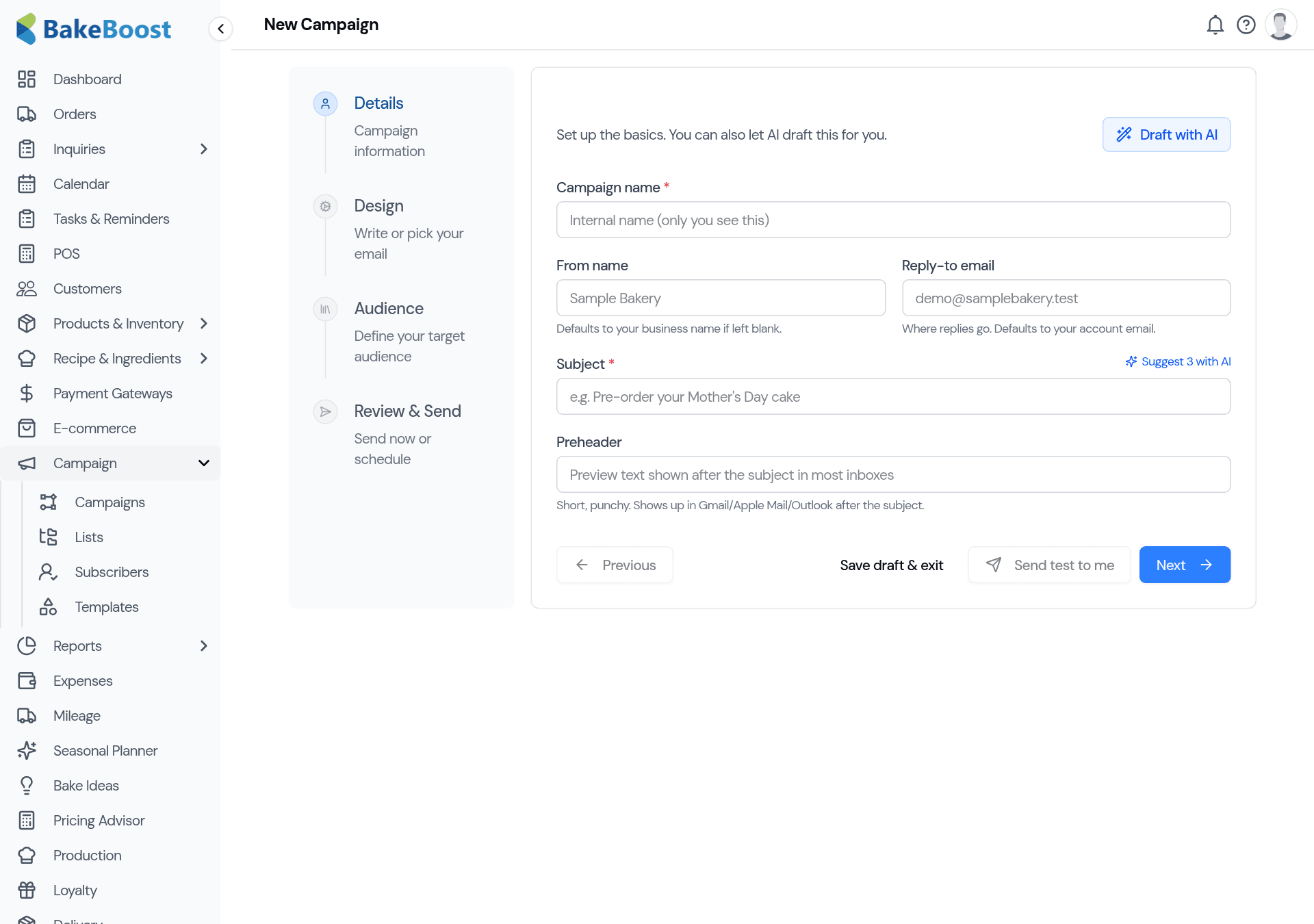
- Details — a from-name, reply-to, and the subject line (the bit that decides if it's opened). Stuck? Suggest with AI offers subject lines; Draft with AI writes a whole first draft for you.
- Design — write your email or start from a template. Add your images and a clear call to action ("Order now", "See the menu").
- Audience — choose which list gets it.
- Review & Send — send a test to yourself first, then send now or schedule it for the perfect time.
3. Send now or schedule
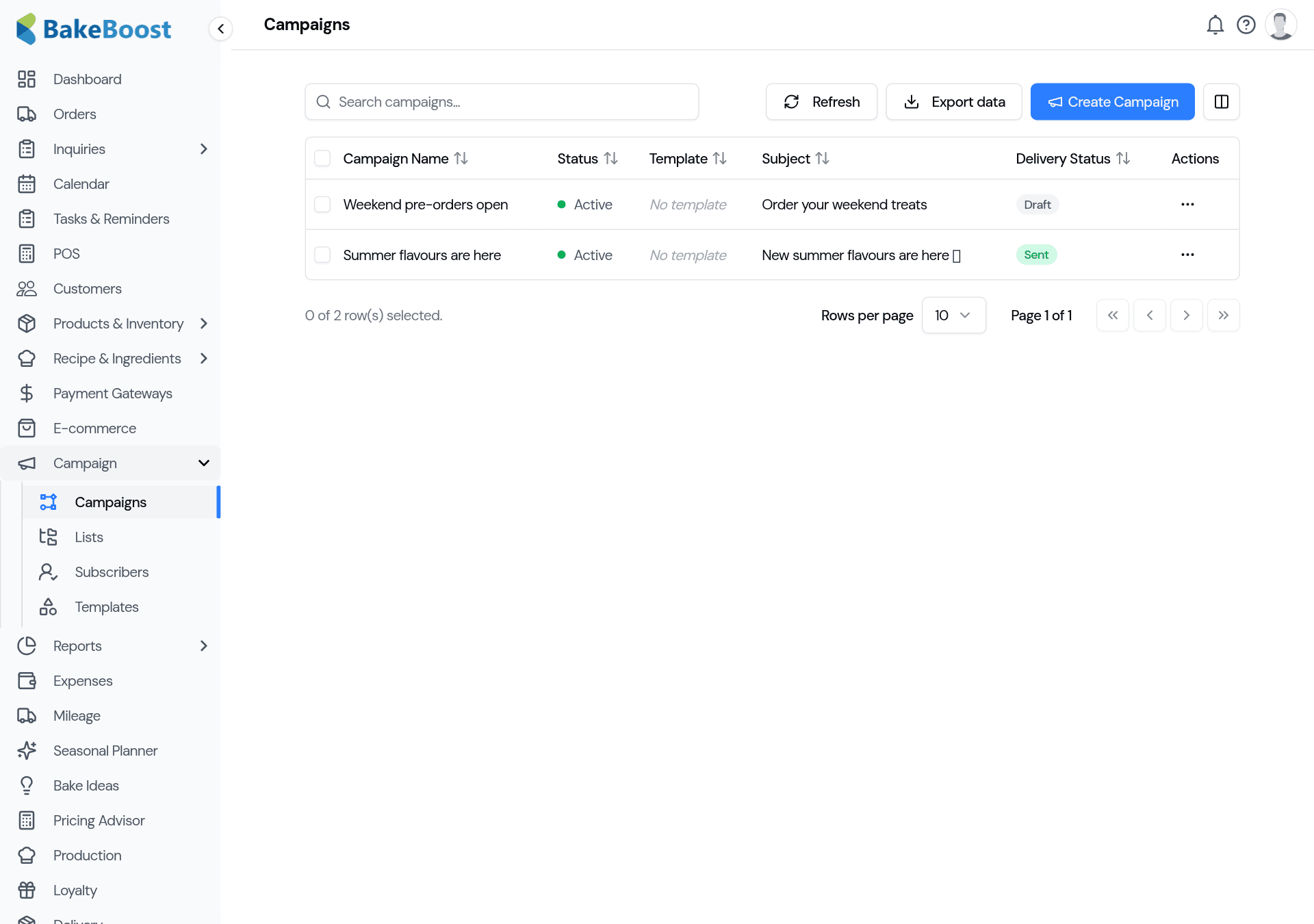
Send immediately, or pick a date and time and Bake Boost sends it for you. Once it's away, the campaign shows its delivery status — draft, scheduled, sent — in your Campaigns list.
Good to know
- Grow your list first. Let customers opt in from your storefront, and import the contacts you already have.
- Segment with lists. Send the right message to the right group instead of blasting everyone.
- Let AI start you off. Draft the email and suggest subject lines, then make it yours.
- Always send yourself a test. Check how it looks before it goes out.
- Mind the sending limits. They vary by plan — schedule large sends across days if needed.
Last updated July 24, 2026