
AI Pricing Advisor
The big picture
Most bakers price by feel — and most under-charge, especially for their time. The Pricing Advisor gives you a starting number grounded in your own figures:
- Your real cost — ingredients, supplies, labour (your hours × your hourly rate) and overhead for that product.
- Your own history — what you've charged and the margins you've made on this product and others in the same category.
- A suggested range — a low-to-high price with a target margin, plus a one-line reason.
Open Pricing Advisor → pick a product → Suggest a price → review the range and reason → use it.
Two ways to use it
You can get a suggestion from a dedicated page, or right inside the product you're editing.
From the Pricing Advisor page
- Open Pricing Advisor from the sidebar.
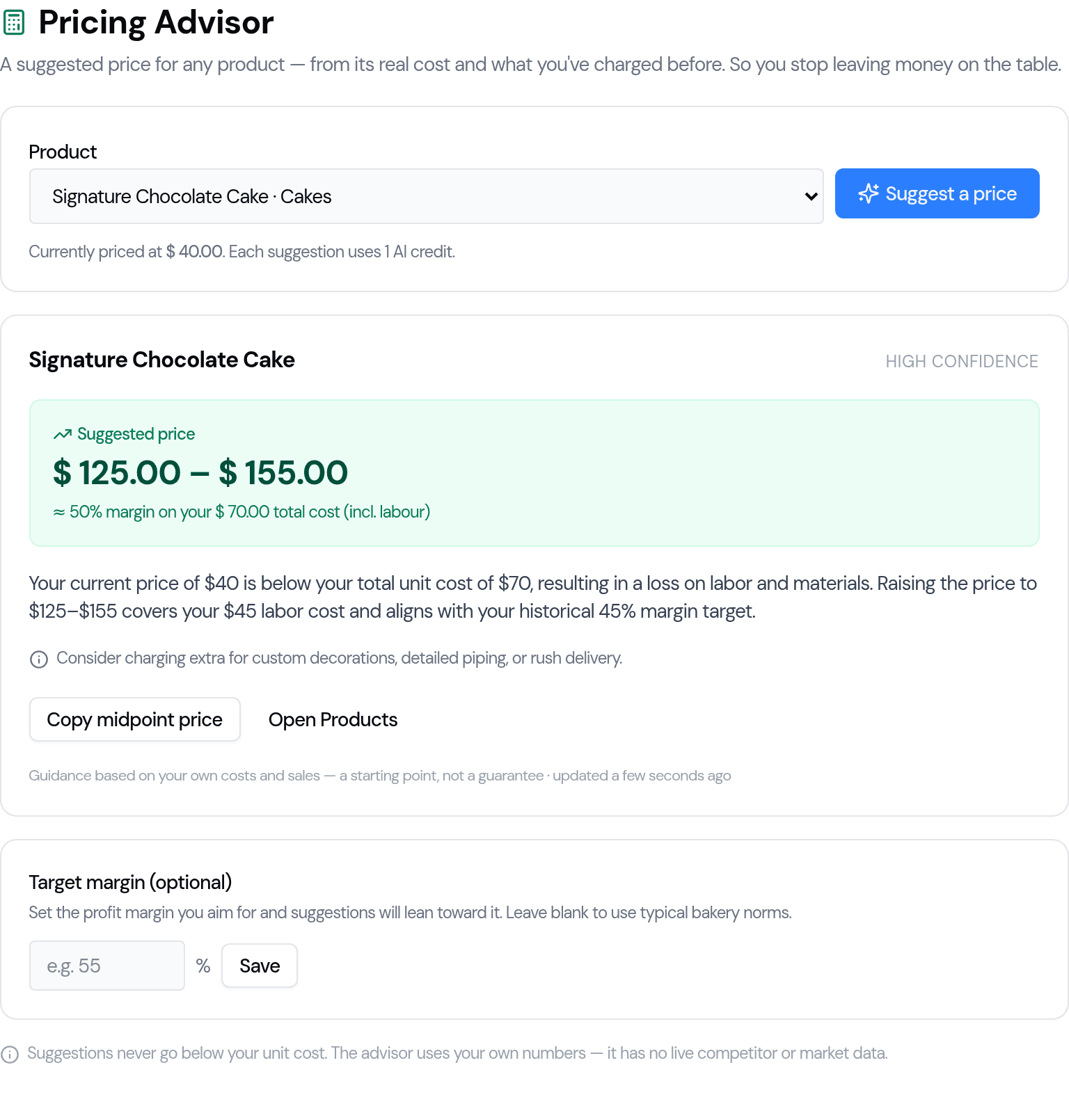
- Choose a product from the dropdown. You'll see what it's currently priced at.
- Click Suggest a price. It takes a few seconds while the AI reads the product's cost and your sales history.
- Read the suggested range, target margin and reason (see below).
- Use Copy midpoint price to copy the middle of the range, then paste it into the product's price.
Inside the product form
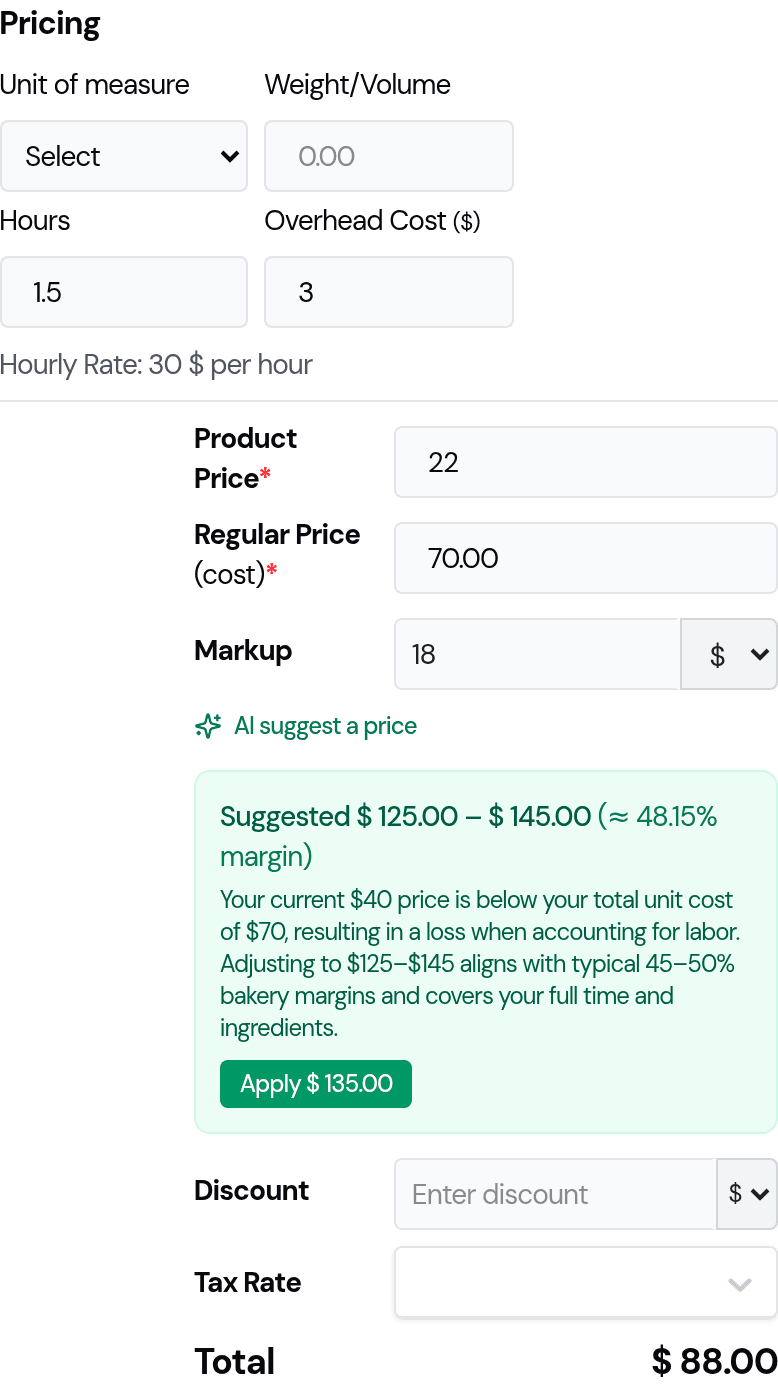
When you're editing a product, look for the ✨ AI suggest a price link next to Markup. Click it to get a suggestion right there, then hit Apply to drop the price straight into the product — review the Total and save.
Reading a suggestion
Each suggestion shows:
- A price range — for example AED 115 – 160. Anywhere in the range works; the middle is a safe default.
- A target margin — the profit margin that range gives you, worked out from your cost (not the AI's).
- A reason — a plain sentence like "You're pricing this 22% below your average margin for this category — a range of 115–160 covers your cost and hits a healthy margin."
- A confidence level — high when you have solid sales history for the product, low when there's little to go on (new products still get a sensible suggestion from typical bakery margins).
Set your target margin
Want every suggestion to aim for the profit margin you run your business on? On the Pricing Advisor page, enter a Target margin (for example 55%) and click Save. Future suggestions will lean toward it. Leave it blank to let the advisor use typical bakery norms (usually 40–60%, higher for premium or wedding work).
What it costs
Each suggestion uses one AI credit from your monthly allowance. Browsing the product list and opening the page are free — you're only charged when you click Suggest a price. If you run out, your allowance refreshes at the start of the month, or you can top up.
Tips
- Trust the labour line. Under-charging for your time is the most common pricing mistake — the advisor counts your hours at your hourly rate, so make sure your rate is set correctly in your profile.
- Set a target margin once, and every suggestion will aim for the way you want to run your business.
- Use the range, not just one number — price toward the top for complex decoration, rush orders, or premium packaging.
- New product, no history? You'll still get a solid starting price based on cost and typical margins — revisit it once you've made a few sales.
- The suggestion sets your retail price; your usual discount and tax still apply on top, so the final Total may differ.
- New to pricing? Start with How much should I charge for a cake? for building a price from cost, time and overheads.
Last updated July 21, 2026