
Par-Stock: never run out unexpectedly
The big picture
You already track stock per item — but nobody checks every screen every morning, so you find out you're out of eggs mid-bake. Par-Stock pulls it all into one worst-first list: what's out, what's low, and roughly how many days until each runs out.
What you see
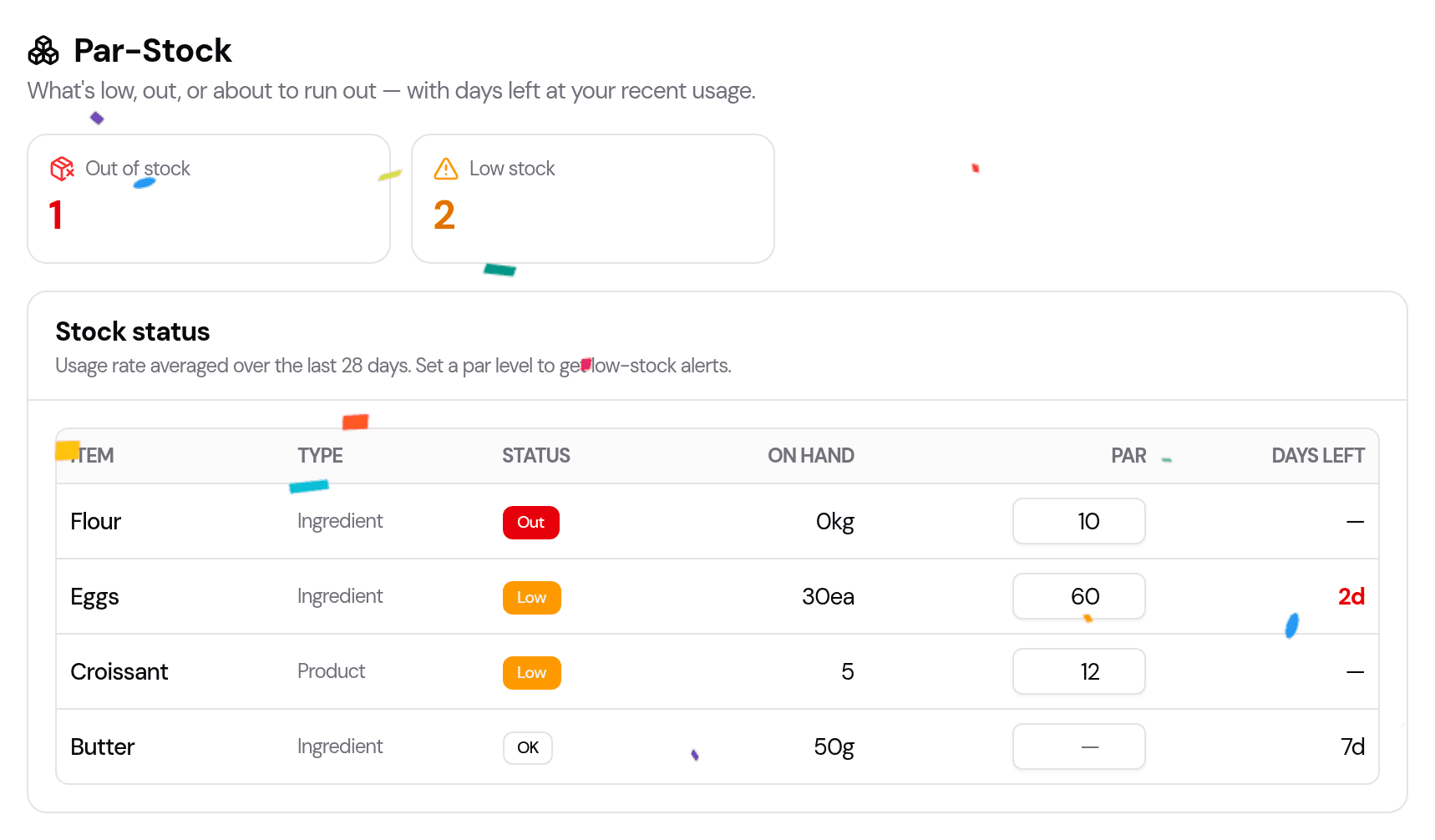
- Out / Low counts at the top — your at-a-glance alert.
- A status table, worst-first, showing each item's:
- Status — Out (nothing left), Low (at or below its par level), or OK.
- On hand — how much you have now.
- Par — your target level (editable right here).
- Days left — an estimate of how long it'll last at your recent usage; blank when there's nothing to base it on.
Set a par level
A par level is the amount you like to keep on hand. Type it into the Par box next to any item. From then on, anything at or below that level shows as Low — so you reorder before you're empty, not after.
How "days left" is worked out
Par-Stock looks at your last 28 days of activity to estimate a daily usage rate, then divides your on-hand amount by it:
- Ingredients — usage comes from the recipes in your recent orders (so if you baked a lot of cheesecake, it knows you got through the cream cheese).
- Products — usage comes from how many you sold.
If an item hasn't been used recently, there's no rate to project from, so Days left stays blank — that's expected, not an error.
Tips
- Set par levels on your staples first (flour, eggs, butter, boxes) — that's where a surprise stock-out hurts most.
- Glance at it with your morning coffee — the Out/Low counts tell you if today needs a supply run.
- Pair it with Procurement (Pro) to turn a shortfall straight into a supplier order.
Last updated August 6, 2026