
Your AI Assistant (beta)
The big picture
Running a bakery means a lot of small, repetitive writing: replying to enquiries, thanking customers after a delivery, jotting the team a plan for the day. The Assistant handles the first draft of all of it, in your voice, so you start from something to tweak instead of a blank page.
Three principles never change:
- Drafts only. The Assistant prepares messages; you send them. It never messages a customer by itself.
- Your voice. It learns how you write and matches your tone.
- A person handles anything sensitive. Allergy/health questions, complaints, grief, anything legal or money-sensitive — these are routed straight to you, never auto-drafted.
Where you'll find it
Once it's on, look for the Assistant button — the round icon in the bottom-right of every admin screen. Tap it to open the Assistant panel, where you can see anything waiting for you and jump to the daily tools.
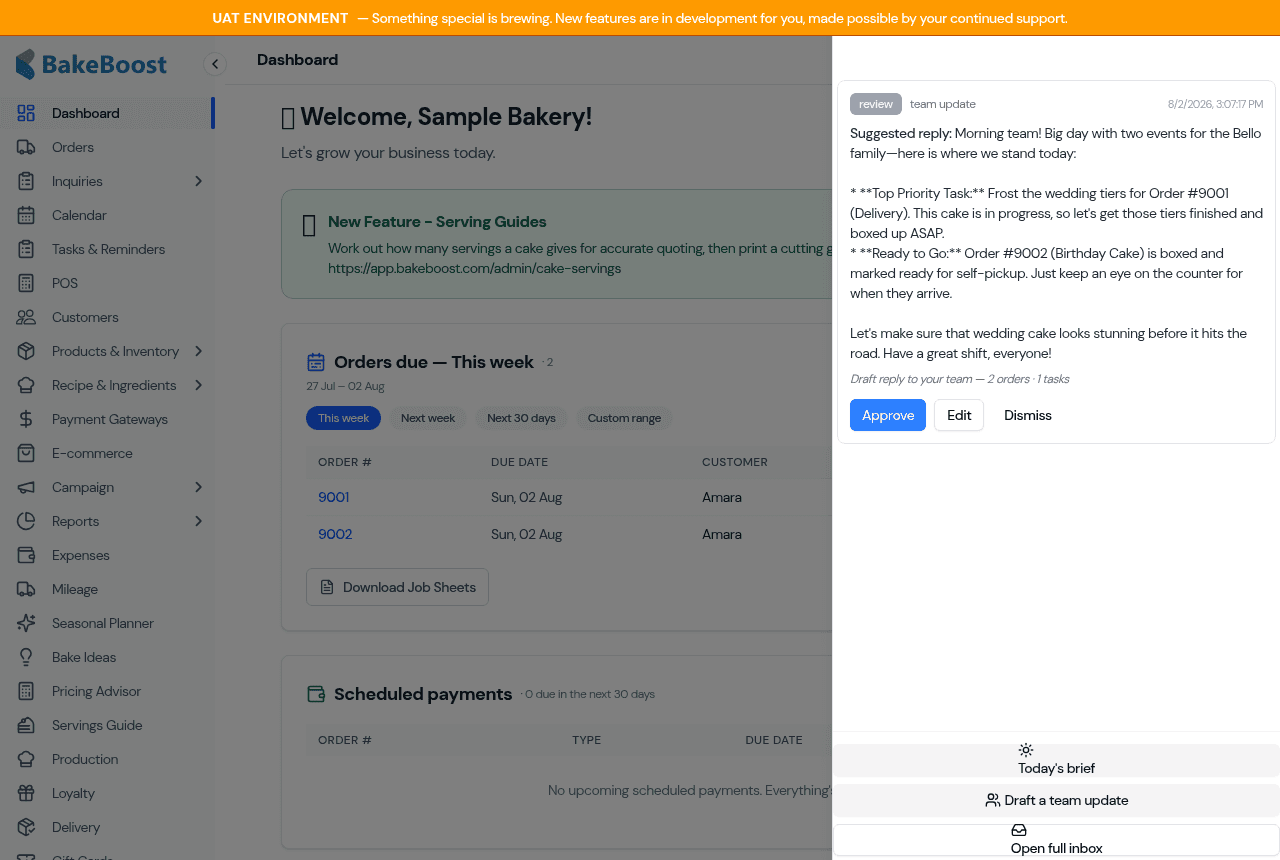
From here you can open Today's brief, Draft a team update, or go to the full Inbox.
Everything is a draft — you decide
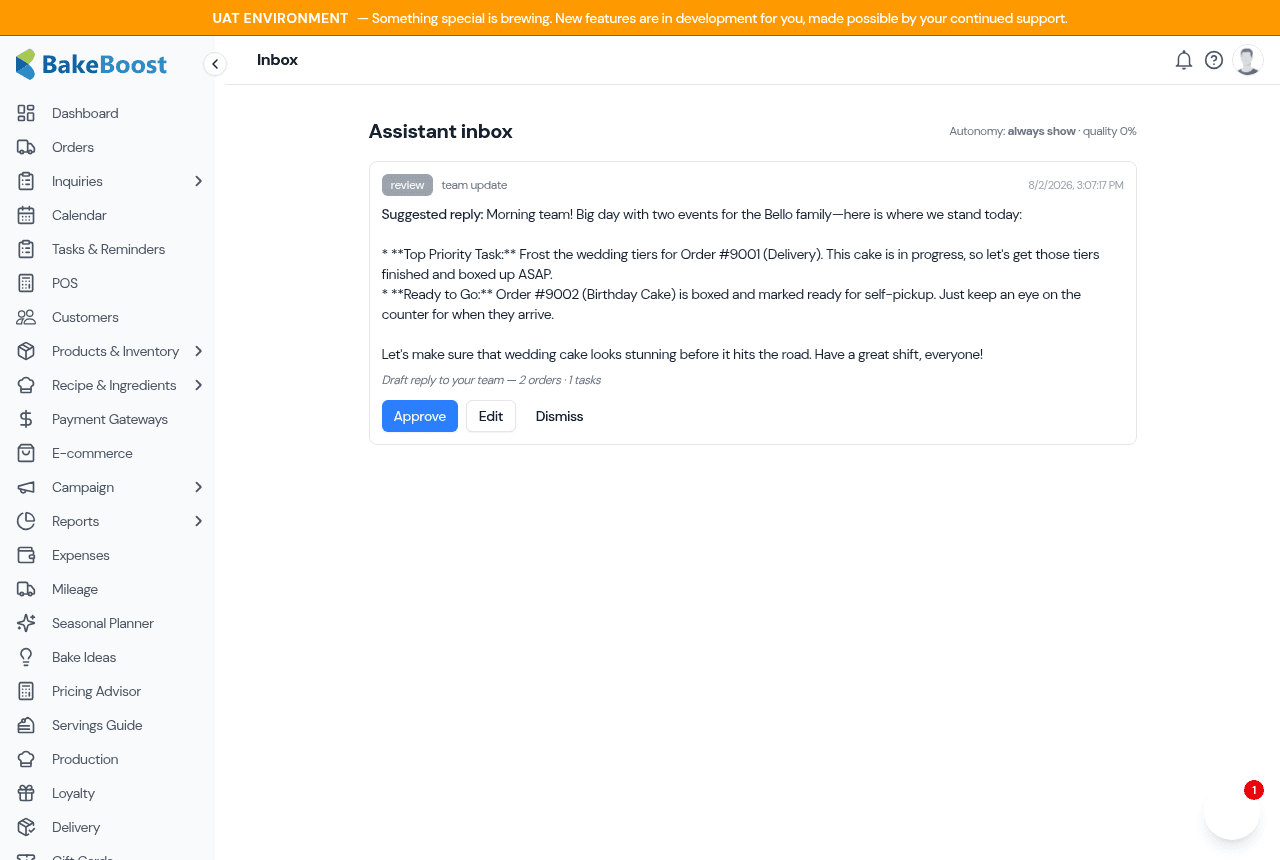
Anything the Assistant prepares waits for you in the Inbox (also reachable from the sidebar). Each item shows the original context — the customer's enquiry, or the order it relates to — alongside the drafted reply. For every draft you can:
- Approve — you're happy with it as written.
- Edit — tweak the wording first, then keep it.
- Reject — discard it.
Teach it your voice
The better the Assistant knows your style, the less editing you'll do. The one-time voice setup walks you through it: paste a few messages you've written, rate a couple of sample drafts, and answer a short question about how you like sensitive situations handled. It builds a private "voice profile" for your bakery from that.
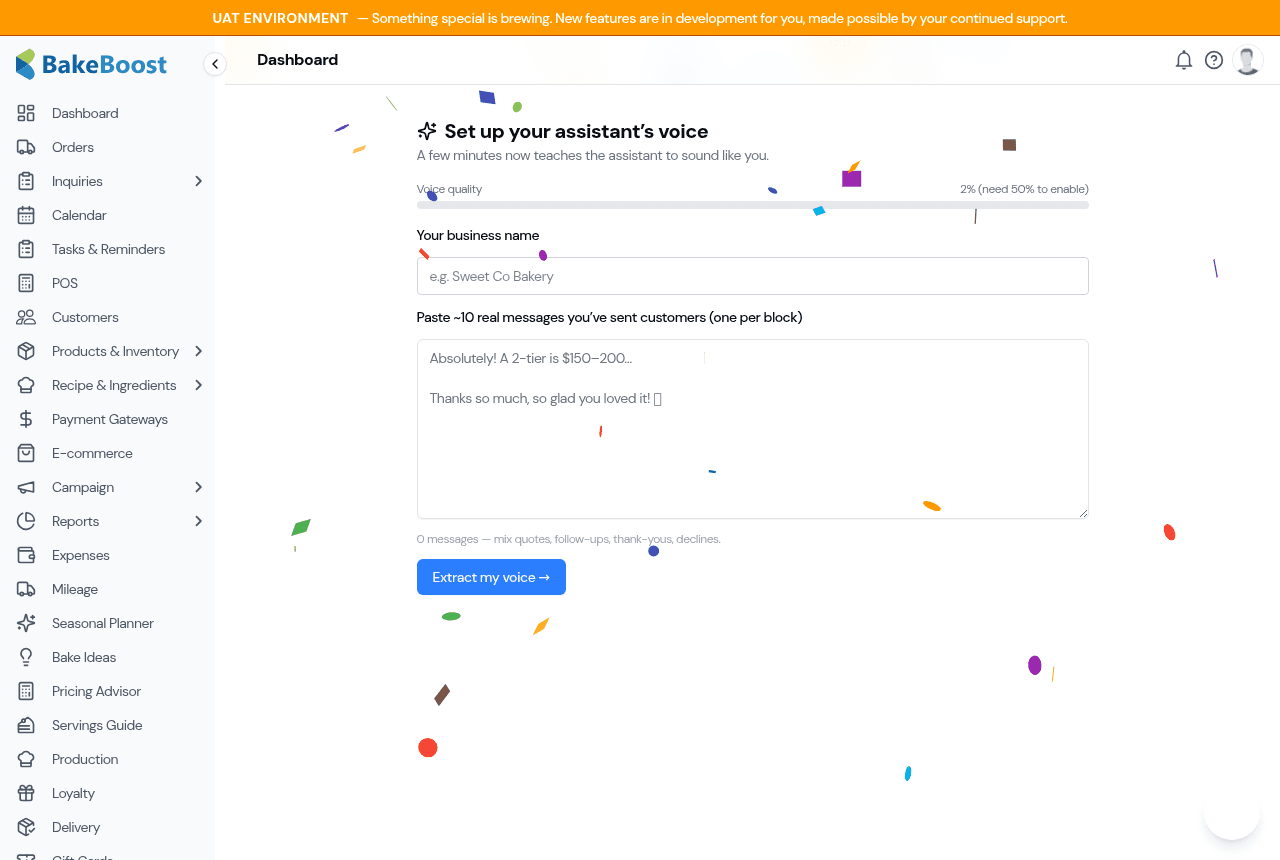
You can do this any time from the Assistant settings. The richer your setup, the more the Assistant is allowed to help.
What it does for you
Draft replies to new enquiries
When a customer sends an enquiry, the Assistant reads it and prepares a friendly reply in your voice — acknowledging their event, date and details — and drops it in your Inbox to review. It won't quote a firm price; that's always your call.
Follow up after a delivery
After you mark an order Delivered, the Assistant can draft a warm thank-you that invites a review or a photo — the follow-up that's easy to forget on a busy day. As always, it's a draft for you to approve. (No discounts or pushy sales — just a genuine thank-you.)
Your morning brief
Open Today's brief for a one-glance summary of your day: what's going out (deliveries and pickups), a bake list with quantities totalled across all of today's orders, and any tasks due or overdue — topped with a short, plain-English summary and one "watch this" line, written in your voice.
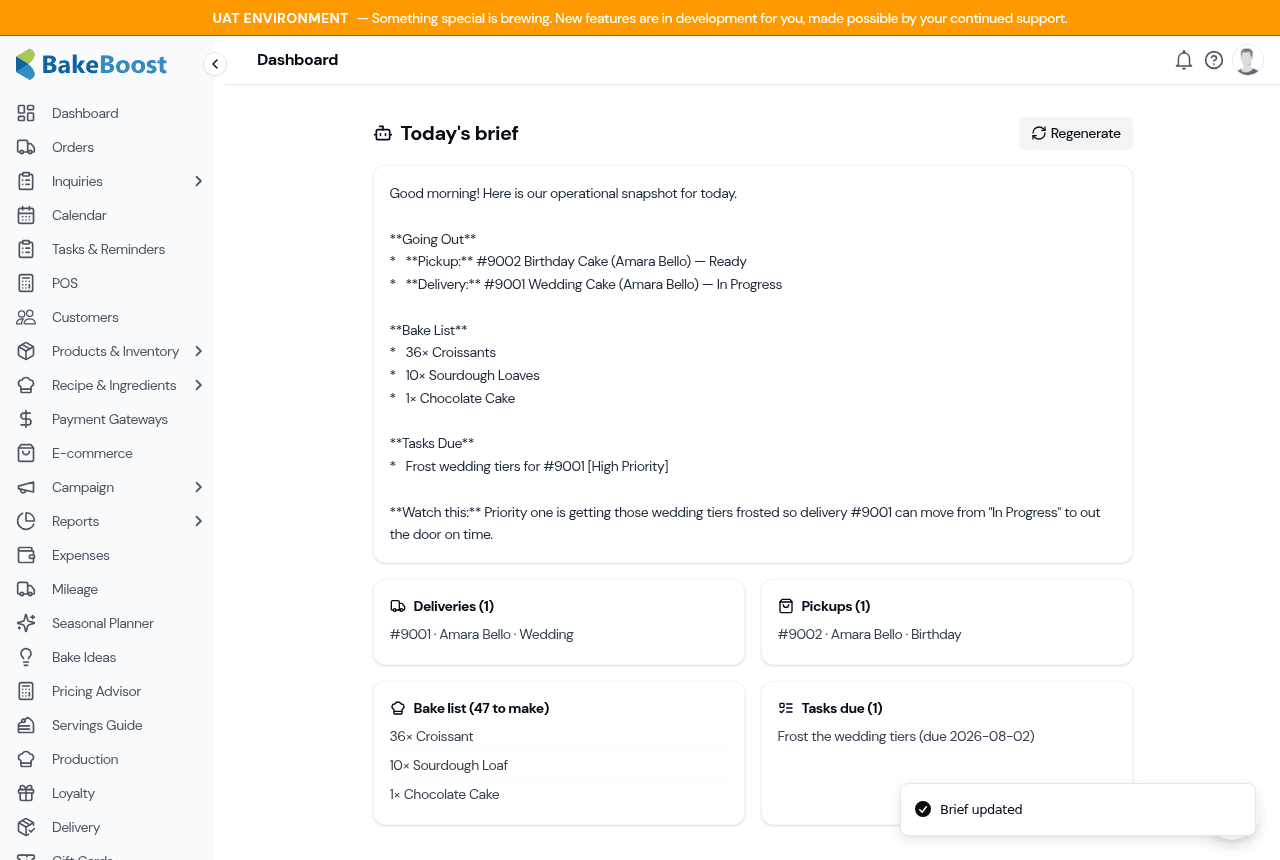
It's built for the start of the day, and it keeps showing the last version even if your kitchen wifi drops. Tap Regenerate any time to refresh it after you've added orders.
Draft a team update
Need to brief your team? Tap Draft a team update and the Assistant turns today's orders and open tasks into a short, scannable internal note — no prices, no customer fluff — for you to tidy up and share.
Margin insights (Pro)
On Pro, the Margin Command Center (under Reports → Insights) shows where your profit really comes from, a quick "what-if" on price or volume, and one suggested tweak to protect your margins.
Sensitive messages always come to you
Some messages should never be answered by a machine. If an incoming message looks like it involves allergies or health, a complaint, grief, anything legal, or a payment dispute, the Assistant does not draft a reply — it flags it in your Inbox for a person to handle personally. If it's ever unsure, it errs on the side of sending it to you.
The autonomy dial
As you use the Assistant and its drafts prove reliable, you can choose to give it a little more room via the autonomy setting in Assistant settings. You're always the one who sets it, and it can never exceed what your track record supports — a safety ceiling you can't accidentally override. During the beta, everything stays draft-and-approve regardless.
Your data and privacy
- Draft-only, human-sent — customers interact with you, not a bot.
- Not used to train outside AI models — your customers' details aren't sold or used to train third-party models.
- Sensitive content is minimised — when the Assistant flags a sensitive message, it records only that it needs your attention, not a stored copy of the message text; the original always stays with the enquiry or order it came from.
Tips
- Do the voice setup first — ten minutes there saves editing on every draft after.
- Skim the Inbox once or twice a day — approve the easy ones, tweak the rest.
- Open Today's brief with your morning coffee — it's the fastest way to see the day at a glance.
- Trust the escalations — if something lands in your Inbox as "needs you", it's because a person should answer it.
Last updated August 2, 2026