
Cost recipes by weight, pieces & amount used
Professional bakers rarely cost by "servings". You cost by grams of batter, dough or frosting per pan, by pieces used from a batch (7 cookies out of 40), and by partial use of a recipe (450 g from a 4,000 g batch). Bake Boost now speaks that language.
1. Declare a recipe's yield
Open a recipe (Recipe in the sidebar → open or add one). At the top you'll see a Yield control with three choices:
| Yield type | What you enter | What you get |
|---|---|---|
| Servings (default) | Number of servings | Cost per serving — exactly like before |
| Weight (g / kg) | The total the batch makes, e.g. 4000 g | Cost per gram |
| Units / pieces | The batch count, e.g. 40, plus an item name like cookie | Cost per piece |
As soon as you set a weight or unit yield, the recipe shows its cost per unit (e.g. $0.01125 / g, $1.25 / cookie) next to the cost, and the same figure appears as a Cost / unit column on the recipe list.
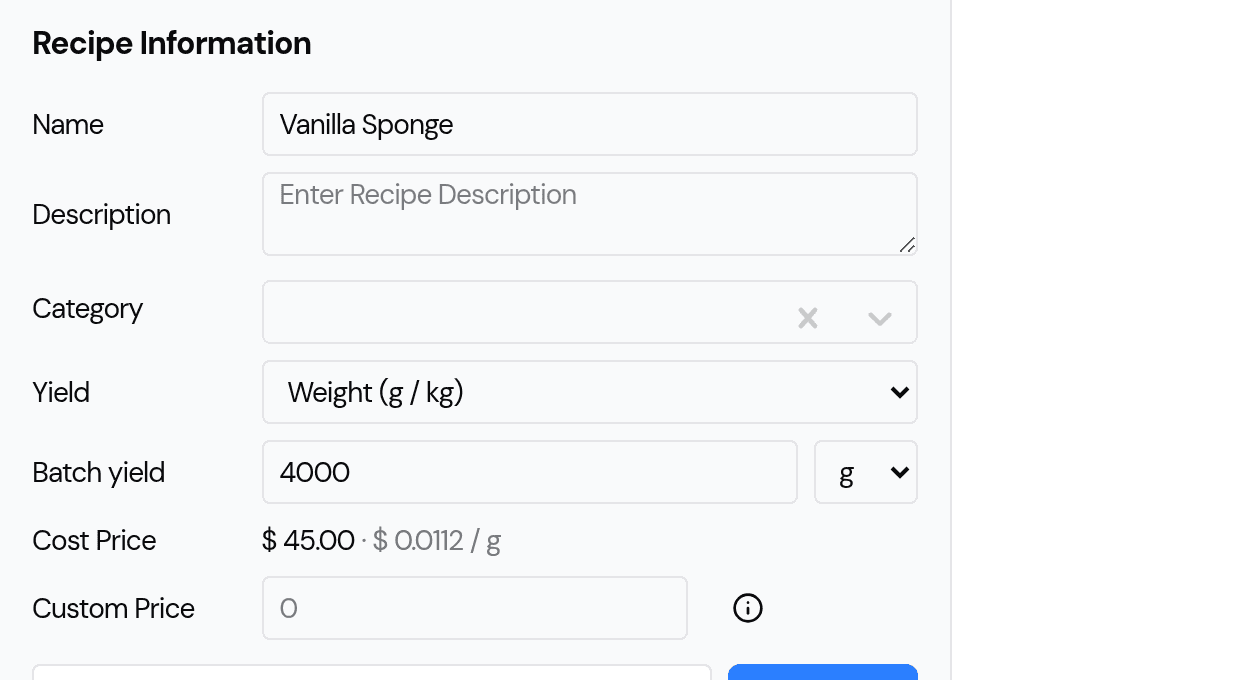
Leaving the yield on Servings keeps a recipe working exactly as it always has.
2. Cost a product by the amount it uses
When you build a product from a recipe (Products → add a Recipe product → Recipes section), a weight- or piece-yield recipe shows an amount used box instead of a plain quantity.
Type the amount the product actually uses in the recipe's own unit — 450 for a gram recipe, 7 for a cookie recipe — and Bake Boost works out the cost for you:
- 450 g of a 4,000 g / $45 batch → $5.06
- 700 g → $7.87 · 950 g → $10.69
- 7 cookies of a 40-piece / $44.50 batch → $7.79
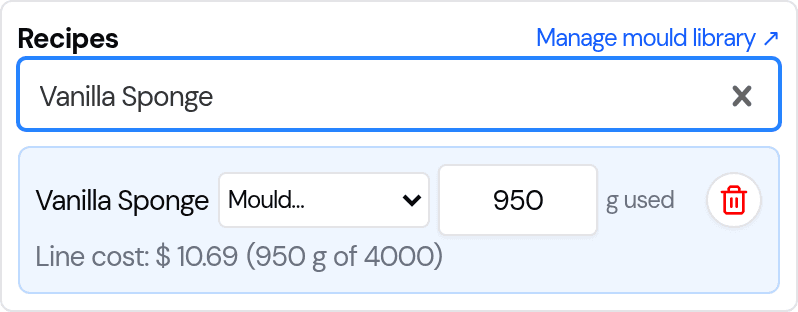
You no longer need to hand-calculate a fraction like 0.1125 and type it into a quantity box.
3. Save your moulds & tins once
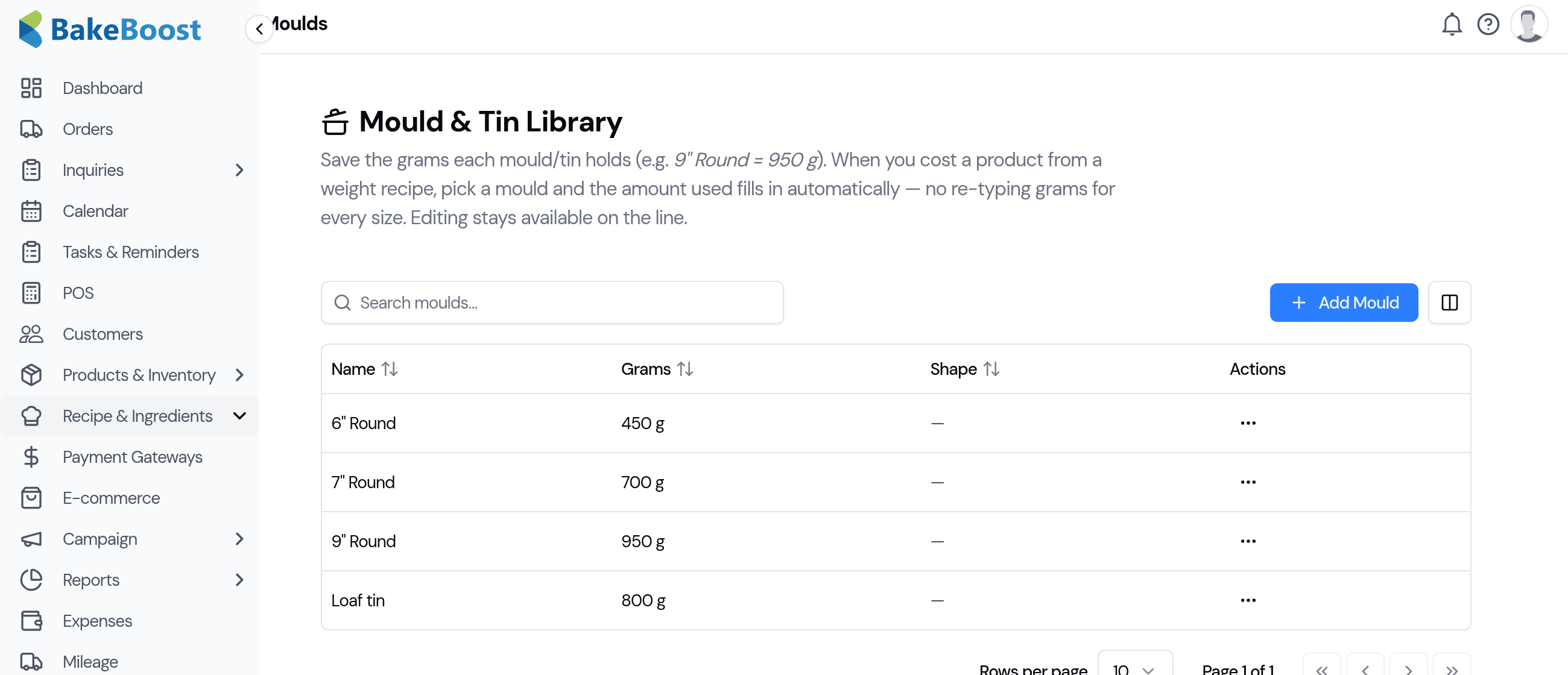
If you use the same pans over and over, save them once and pick them from a list instead of re-typing grams.
- Go to Moulds in the sidebar (under Products & Inventory).
- Add each mould with a name and the grams it holds — e.g. 9" Round = 950 g, Loaf tin = 800 g.
- Back on a product's weight-recipe line, choose the mould from the Mould… dropdown and the amount used fills in automatically. You can still edit it.
4. Build a recipe from other recipes (sub-recipes)
Made a base sponge, a Swiss buttercream or a ganache once and use it in lots of cakes? Add it as a sub-recipe instead of re-typing its ingredients every time.
- Open a recipe and find the Sub-recipes section (below Ingredients).
- Pick another recipe and enter the amount used (e.g.
450 gof a 2,000 g buttercream batch). - Its cost rolls into this recipe's cost automatically —
$12 × 450/2000 = $2.70added to the total.
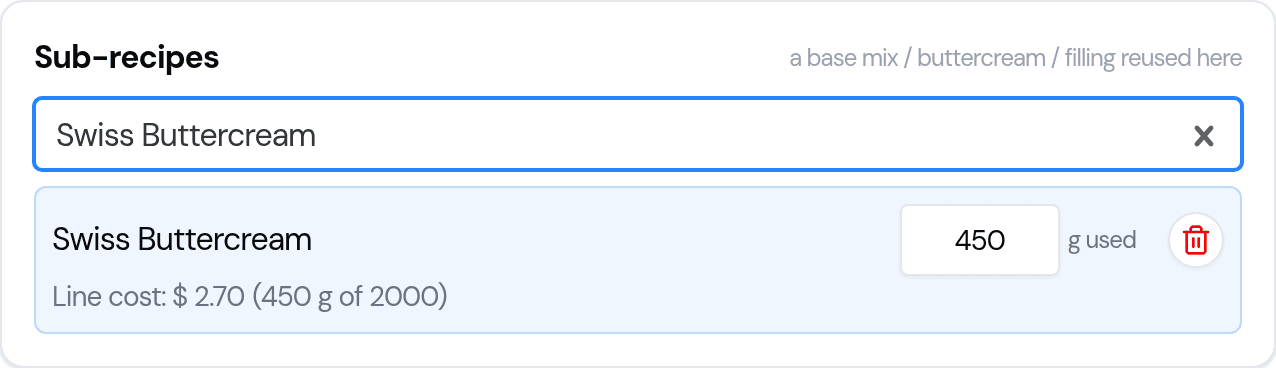
The recipe's cost becomes ingredients + every sub-recipe used, so a finished cake's cost reflects its base mix, filling and frosting without duplicating any data entry.
How it all fits together
A worked example, end to end:
- Vanilla base (recipe): 2,000 g, ingredients $16 → sub-recipe of…
- Buttercream (recipe): 4,000 g, $45 → both used in…
- Celebration cake (recipe): its cost = its own ingredients + the base + the buttercream, each by amount used.
- 9" Cake (product): adds the Celebration cake recipe, picks the 9" Round mould → grams fill in → the line cost uses the full rolled-up recipe cost.
Every number traces back to your real ingredient costs.
Last updated July 26, 2026