
Social posts and coupons
Open Social → Posts & Coupons in the sidebar.
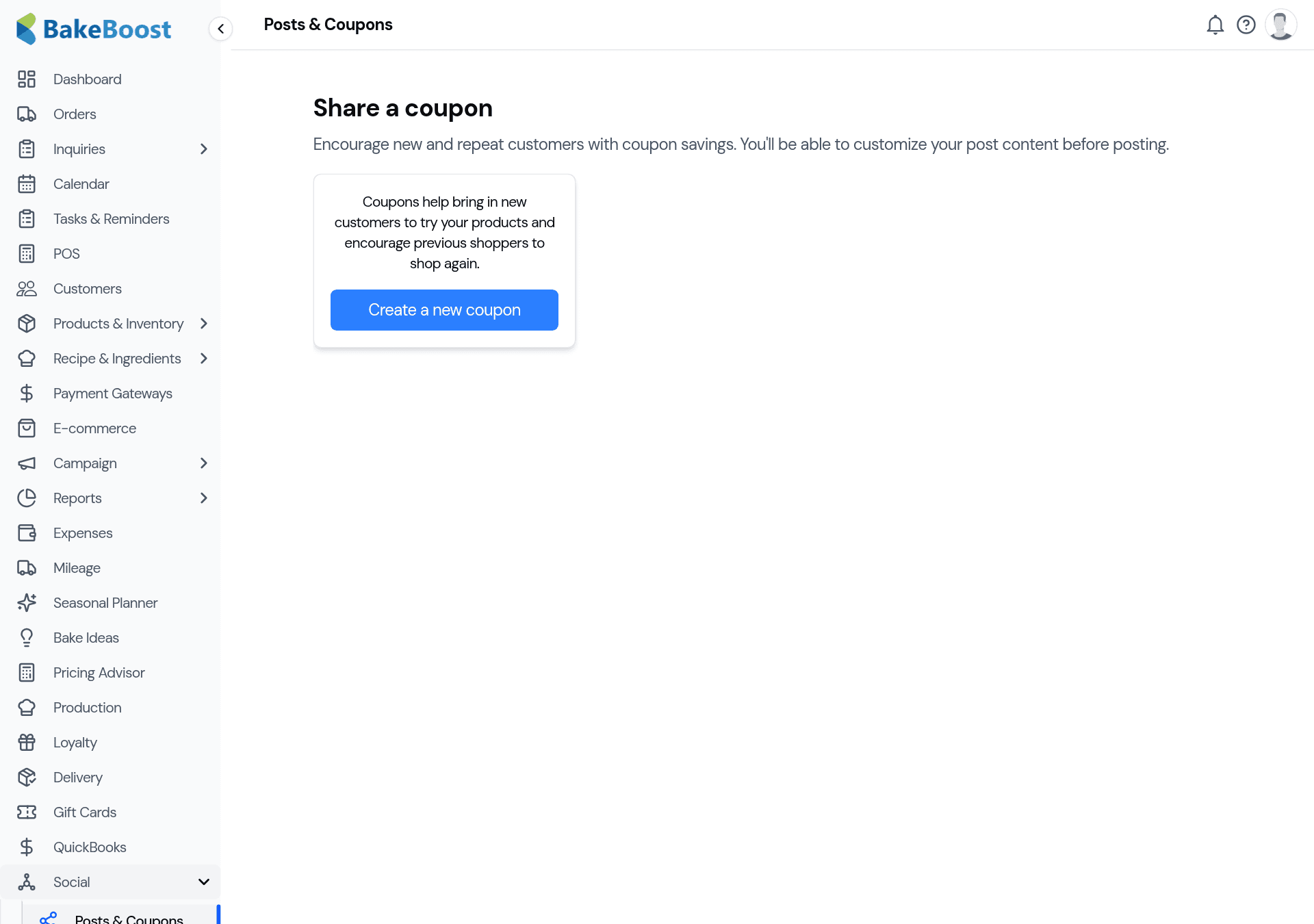
1. Create a coupon
Click Create a new coupon and fill in the offer:
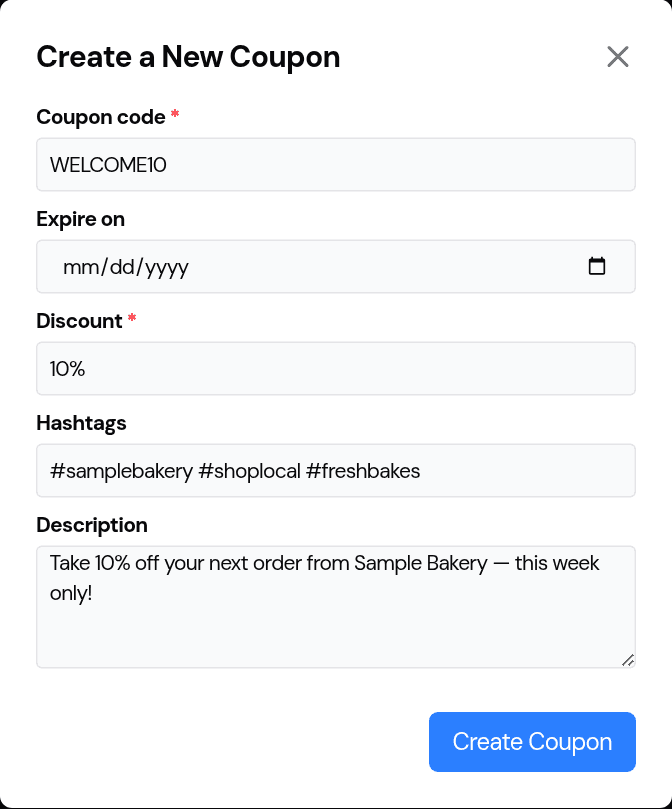
- Coupon code — what the customer types at checkout (for example
WELCOME10). - Expire on — an optional end date, so an offer doesn't run forever.
- Discount — the amount off (a percentage like 10%, or a fixed amount).
- Hashtags and a description — a ready-to-use caption for your post, so you're not writing it from scratch.
Click Create Coupon to save it.
2. Share it
With the code and caption ready, share the offer wherever your customers are — your Instagram, Facebook, a story, or your newsletter. The description and hashtags give you a post you can paste straight out, so promoting an offer takes seconds, not a coffee break.
3. How customers use it
Customers enter the code at checkout to get the discount. It's money off the order — different from a gift card, which is prepaid money on an account. Use a coupon to win a sale (a first-order discount, a slow-week promo); use a gift card to sell stored value.
Good to know
- A coupon is a shareable offer. A code plus a ready-made caption and hashtags.
- Set an expiry. Time-limited offers create urgency and don't linger.
- Paste-and-post. The description and hashtags are written for you.
- Coupons vs gift cards. Coupons are money off to win a sale; gift cards are prepaid money you sell.
Last updated July 24, 2026