
Tracking expenses and mileage
1. Record an expense
Open Expenses in the sidebar to see everything you've spent, newest first, with its date, category, description and amount.
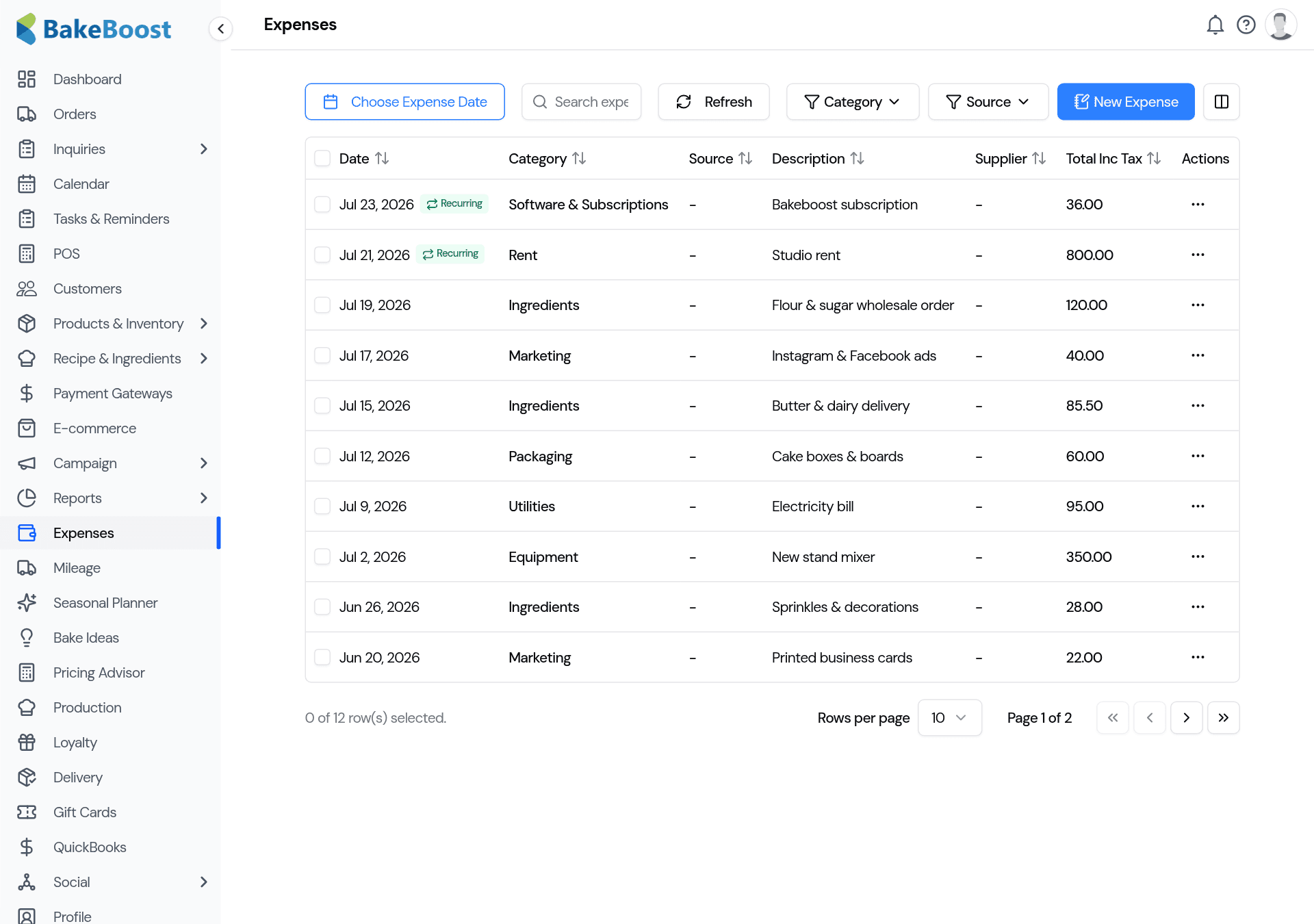
Click New Expense and fill in:
- The date and amount (with tax if you track it).
- A category — Ingredients, Packaging, Marketing, Rent, Utilities, and so on. Pick from your list or add a new one on the fly.
- A short description, and optionally a supplier and payment source.
- A receipt — attach a photo or PDF so the proof lives with the expense.
Your categories power the Expenses by category breakdowns in your Tax Summary and reports, so it's worth being consistent with them.
2. Recurring expenses
Some costs repeat like clockwork — studio rent, your Bake Boost subscription, insurance. Turn on recurring when you add one, and choose how often it repeats (Monthly, Quarterly or Yearly). Bake Boost then keeps that expense coming back on schedule, so you enter it once instead of every month.
Recurring expenses are marked with a Recurring badge in the list so they're easy to spot.
3. Log your mileage
Open Mileage to track the business driving you do — deliveries, supplier runs, market days — so you can claim it at tax time.
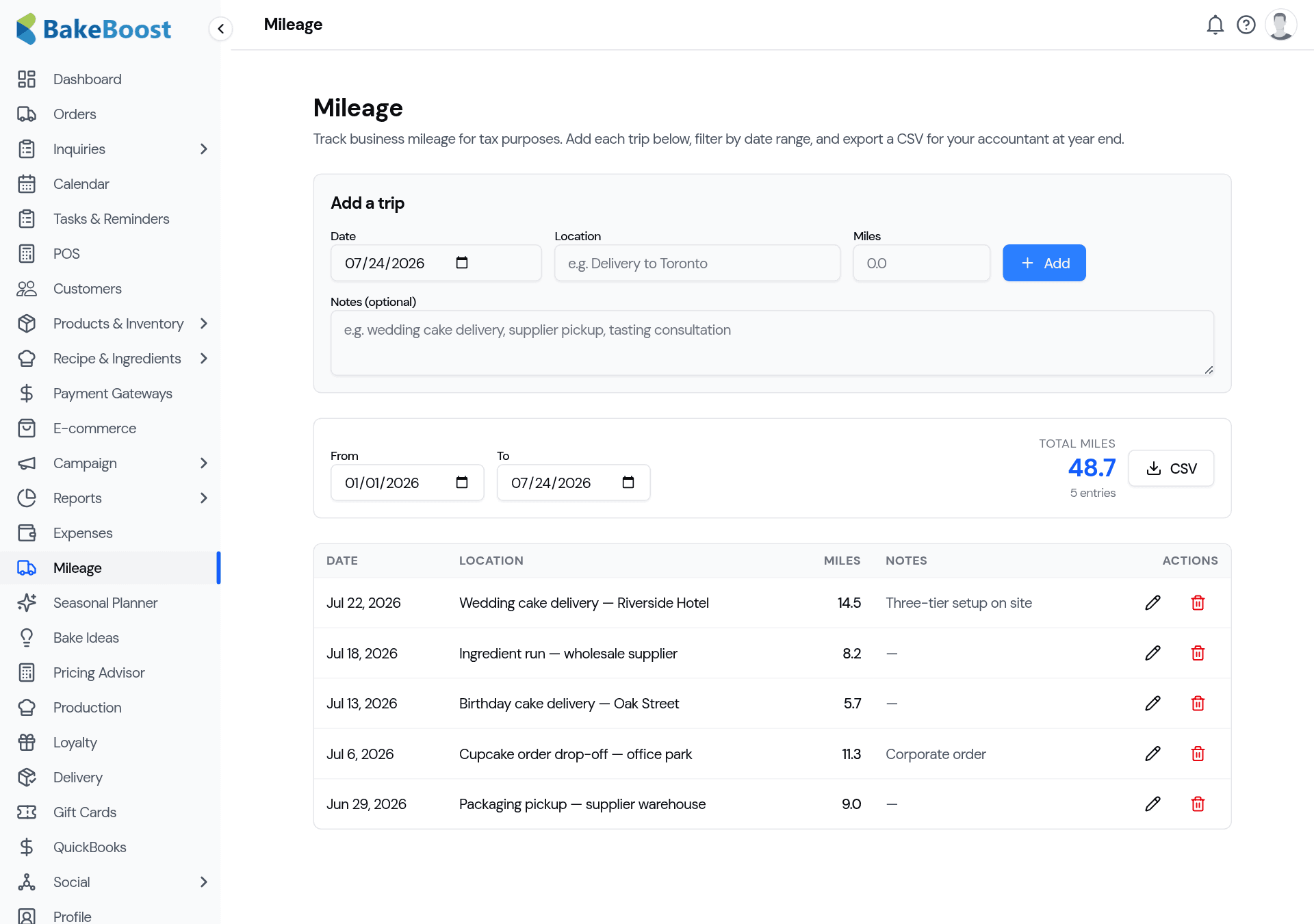
For each trip, add the date, where you went, the miles, and an optional note (for example "Wedding cake delivery — three-tier setup on site"). The page keeps a running total of miles for whatever date range you choose.
At year end, use Export CSV to hand the whole log to your accountant in one file.
Good to know
- Categorise consistently. Clean categories make your Tax Summary and Expenses report genuinely useful.
- Keep the receipt with the expense. Attach a photo or PDF so nothing's lost before tax time.
- Set recurring costs once. Rent and subscriptions repeat automatically — no monthly re-typing.
- Mileage adds up. Log every business trip; the running total and CSV export make the claim easy.
- It all flows into your reports. Expenses feed your Income Statement, Tax Summary and Cash Flow.
Last updated July 24, 2026