
Loyalty program
1. Turn it on and set the rules
Open Loyalty in the sidebar and click Settings. Switch the program on and decide how it works:
- How points are earned — either per amount spent (for example 1 point for every $1) or a flat number per order.
- What a point is worth — the credit each point gives when redeemed (for example 100 points = $5).
- Minimum to redeem — the smallest balance a customer can cash in.
- Program name and terms — shown to customers so the deal is clear.
2. Points earn themselves
Once it's on, you don't have to do anything at the till. When an order is paid in full, the customer earns points automatically. Deposits and part-paid orders don't earn until they're settled, so points always reflect money you've actually taken.
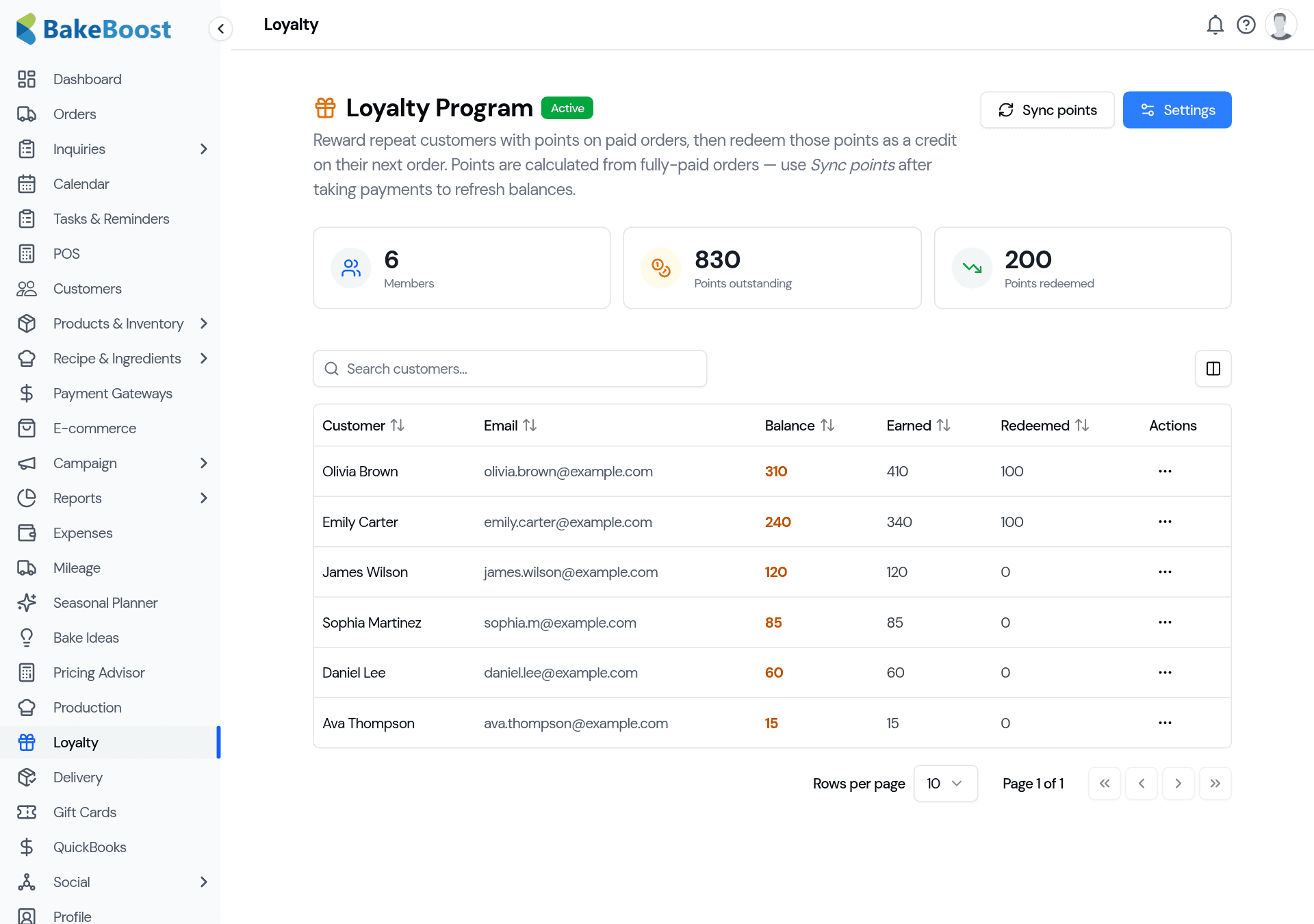
The Loyalty page shows the health of the program at a glance — how many members you have, points outstanding (what customers are holding) and points redeemed — with every customer's balance in the table below.
3. Redeem points
When a loyal customer places their next order, redeem their points from their account to apply the credit — the points come off their balance and the value comes off the order. You stay in control: redemption is something you do, so it's always deliberate.
Open any member to see their full history — every earn, redeem and adjustment — and to make a manual adjustment if you ever need to (a goodwill gesture, or fixing a mistake).
Good to know
- It's a Pro feature, off until you switch it on. Nothing changes for customers until you enable it.
- Points earn on fully-paid orders. Deposits earn once the balance is settled — never on money you haven't taken.
- You set the maths. Earn rate, point value and minimum redemption are all yours to choose.
- Redemption is manual. Points are applied when you redeem them, so there are no surprises.
- Everything's tracked. Balances, lifetime earned/redeemed and a full per-customer history are kept for you.
Last updated July 24, 2026