
Price by weight, serving & dozen
Bakers sell per kilo (the international norm), per serving (US wedding and custom cakes), and per dozen (cookies, cupcakes). Until now Bake Boost only offered a flat markup on cost. Now you can pick a price basis that matches how you actually quote.
1. Choose a price basis on a product
Open a product and find the Price basis control in the Pricing section:
| Basis | You enter | Price becomes |
|---|---|---|
| Flat markup (default) | A markup on cost | Cost + markup — exactly like before |
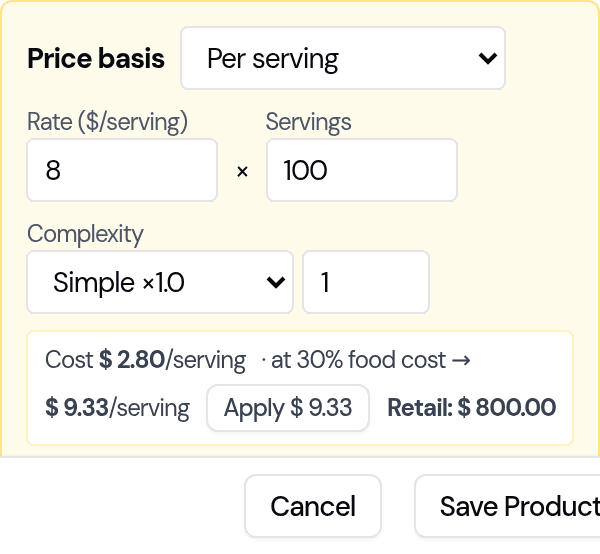
| Per serving | Rate × servings (× complexity) | e.g. $8 × 100 servings = $800 |
| Per weight | Rate × weight | e.g. $30/kg × 2.5 kg = $75 |
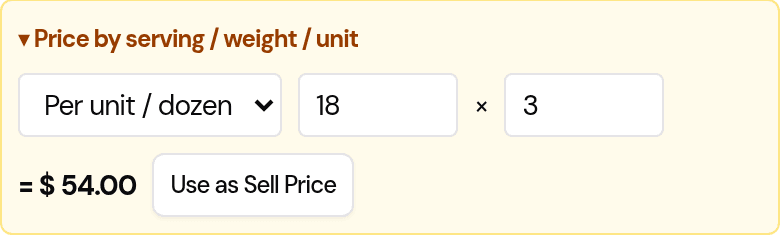
| Per unit / dozen | Rate × quantity | e.g. $18/dozen × 3 = $54 |
When a non-flat basis is active it sets the sell price directly (rate × quantity). Your cost still drives the markup ladder for flat products, but a per-basis price is independent of cost — so re-costing a product never silently moves its quoted price. Discount and tax still apply on top, exactly as before.
2. Let the app suggest the price (cost → price bridge)
Once you enter a basis and a quantity, Bake Boost shows your cost per unit and the rate needed to hit your target margin:
Cost $2.80/serving · at 70% margin → $9.33/serving [ Apply ]
Click Apply to drop the suggested rate straight in. Your target margin comes from your settings (see step 5); the default is a 70% margin (30% food cost).
3. Complexity tiers for per-serving cakes
Intricate work should cost more per serving. In Per serving mode you'll see a Complexity picker with tiers that multiply the rate:
- Simple ×1.0 · Detailed ×1.5 · Intricate ×2.0 · Showpiece ×3.0
Pick the tier that matches the cake (or type your own multiplier). Example: $8/serving × 100 servings × Intricate (×2.0) = $1,600.
You can replace these with your own tiers — see step 5.
4. Price bundles & boxes per basis
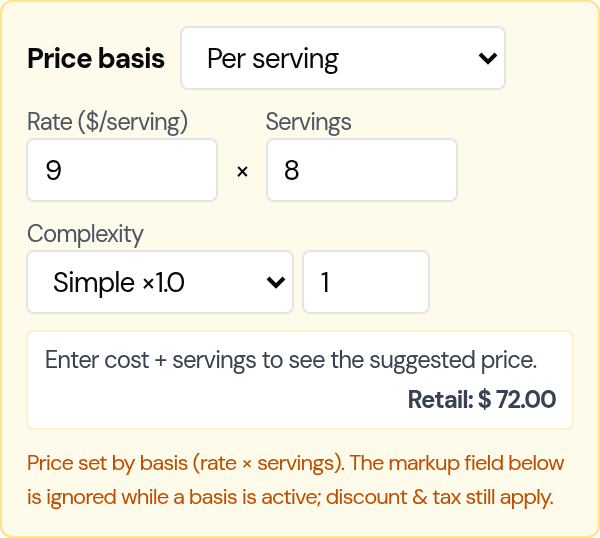
Bundle products (a dessert box, a grazing box, a mixed dozen) can use a price basis too. On a Composite product, set a Price basis and price the whole bundle by servings, weight or unit — e.g. "box serves 8 → $9/serving" — while its components still add up your cost underneath. This matches how boxes are sold (by size / how many it feeds).
5. Set your defaults once (Settings)
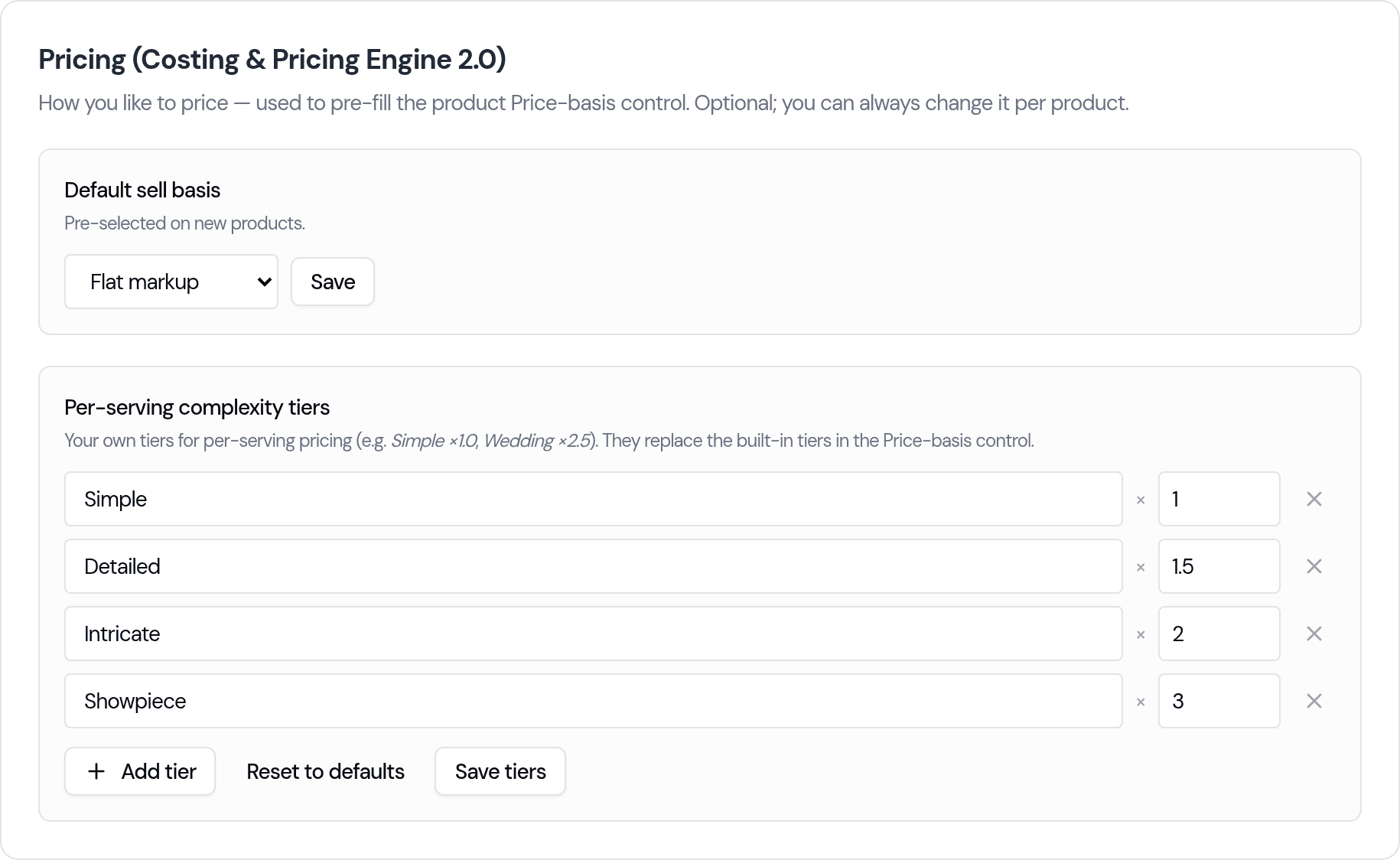
Go to Settings → Business → Pricing (Costing & Pricing Engine 2.0) to set these once for every new product:
- Default sell basis — the basis pre-selected on new products (and the default weight unit, e.g. kg).
- Complexity tiers — add, rename, re-value or remove your own per-serving tiers (e.g. Standard ×1.0, Wedding ×2.5). They replace the built-in tiers everywhere per-serving pricing appears. Use Reset to defaults to go back.
6. Quick-price from the order screen
When you add a quick item to an order (Cake, Cookie, Cupcake, Cake Pop, Other), open the "Price by serving / weight / unit" helper to work out the line total the same way — rate × quantity — and drop it straight onto the item. Cakes take the whole-line total; per-item forms (cookies, cake pops) set a unit price and quantity so the order line never double-counts.
What stays exactly the same
- Products you don't touch: flat markup, unchanged.
- Storefront, POS, invoices, receipts, COGS and financial reports read the same price fields as before — a price basis only changes how the sell price is calculated in the form.
- Discounts and taxes work exactly as they always have.
Last updated July 26, 2026