
Managing your subscription
Open Subscription in the sidebar.
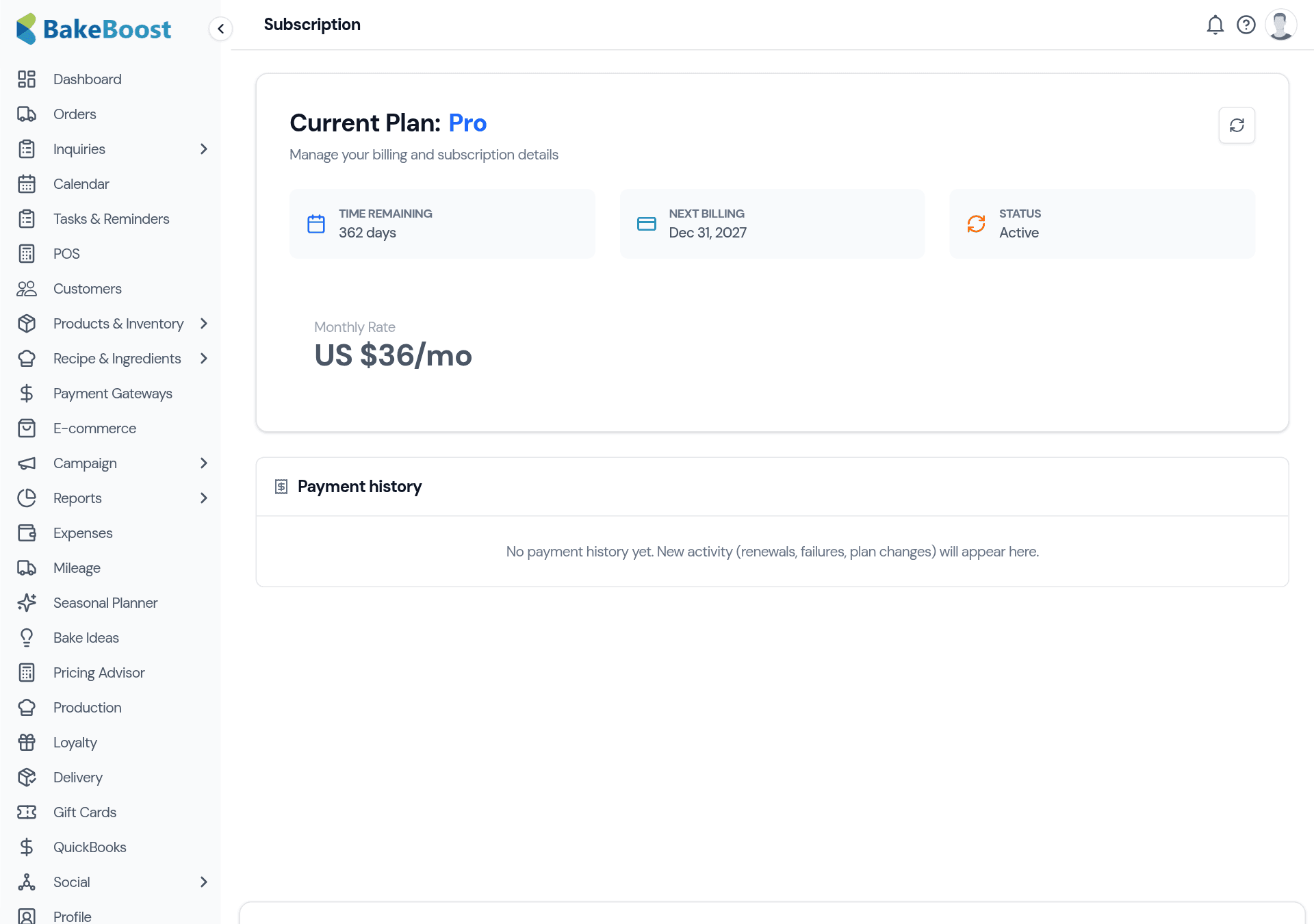
What's on the page
- Current plan — the plan you're on (Essentials, Growth or Pro).
- Time remaining and next billing date — when your plan renews.
- Status — Active, or a warning if a payment needs attention.
- Monthly rate — what you're paying, in your billing currency.
- Payment history — every renewal, plan change and payment, so your billing is always traceable.
The three plans
Bake Boost comes in three tiers, each building on the last:
- Essentials — the core to run day-to-day: orders, quotes, invoices, recipes and your product catalogue.
- Growth — adds selling and marketing: your online store, POS, taking online payments, inventory, email campaigns and delivery management.
- Pro — adds scale and automation: multi-user team accounts, loyalty, gift cards, production scheduling, the cash flow dashboard and the advanced AI tools.
Upgrade, downgrade or change billing
Choose a plan that fits and Bake Boost walks you through checkout with your card provider. When you upgrade, the new features unlock right away. You can also switch between monthly and yearly billing — yearly works out cheaper per month.
Good to know
- One place for plan and billing. Current plan, renewal date, rate and history together.
- Upgrades unlock instantly. New features are available as soon as you move up.
- Yearly is cheaper. Switch billing frequency to save per month.
- Watch your status. Active means all good; a warning means a payment needs attention.
Last updated July 24, 2026