
Procurement: reorder from the right supplier
The big picture
Most bakeries reorder from memory — eyeball the flour bin, text a supplier, hope it's enough. Procurement does the maths from the orders you already have: it walks your confirmed orders → their recipes → the ingredients they need, compares that to your stock, and tells you exactly what to buy and from whom.
1. The reorder plan
Open Procurement and pick a horizon (next 7 days, 2 weeks, or 30 days). The Reorder soon table shows each ingredient you'll run short on:
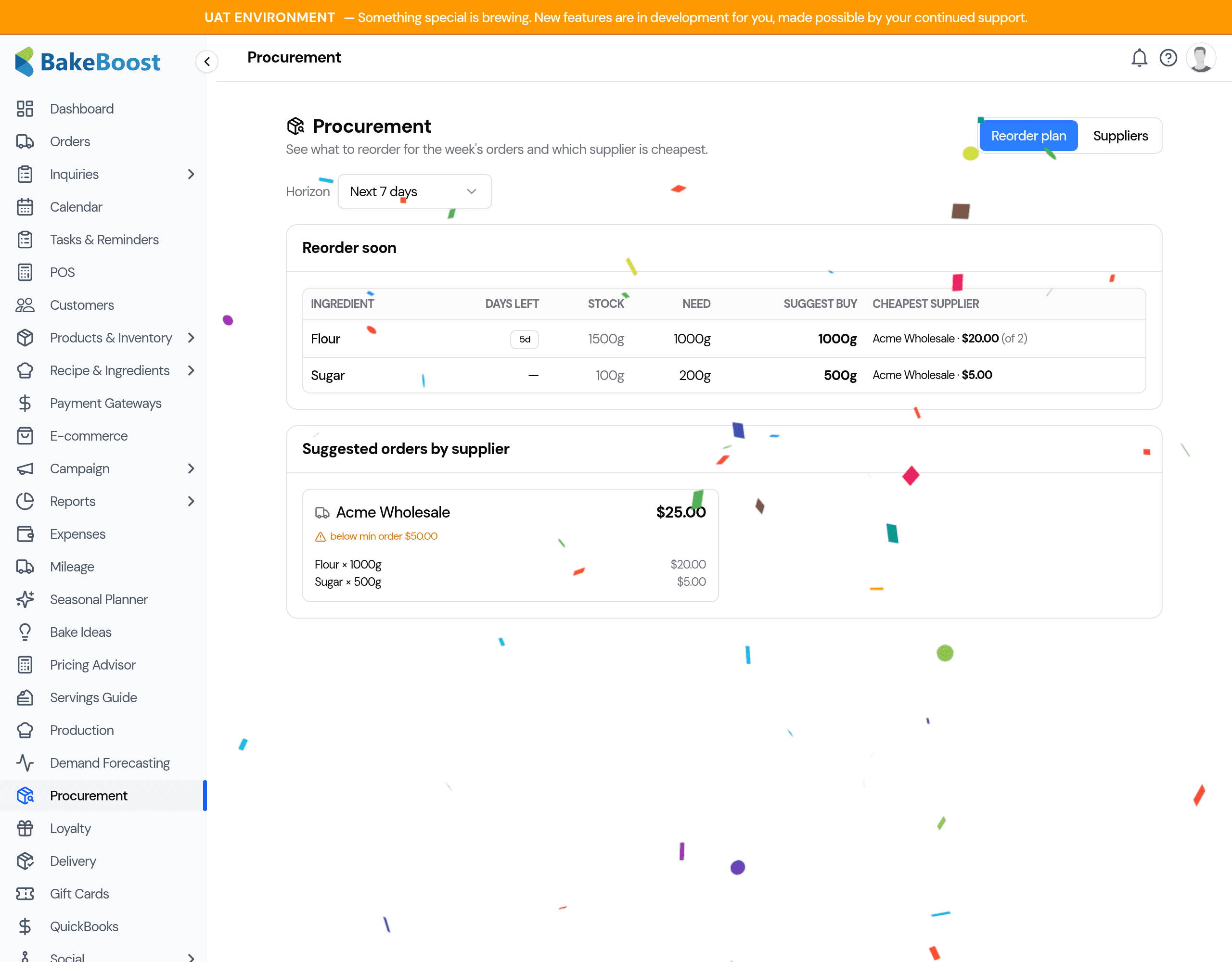
- Days left — how long your current stock lasts against the week's demand.
- Need / Suggest buy — the shortfall, rounded up to your pack size.
- Cheapest supplier — the best price for that quantity, and how many suppliers were compared.
2. Suggested orders by supplier
The shortfalls are grouped into one suggested order per supplier — cheapest option chosen per item — with a running total. If an order is under a supplier's minimum order value, it's flagged (a heads-up, never a block). Anything with no supplier priced is called out so you can add it to a price list.
3. Suppliers and price lists
On the Suppliers tab, add each supplier with their contact, lead time, minimum order, and a price list (ingredient + unit price). That price list is what powers the cheapest-supplier comparison — the more suppliers you price, the better the suggestions.
4. Reorder settings
Also on the Suppliers tab, set per ingredient:
- Reorder point — the level at which it should show up to reorder (even with no orders on the books).
- Pack size — so suggestions round up to how you actually buy (e.g. 25kg sacks).
- Preferred supplier — your default source for that item.
Good to know
- It suggests; you decide. Procurement never places an order by itself.
- Demand comes from confirmed orders only — quotes and cancelled orders are ignored, the same as the production planner.
- Sending orders to suppliers by email and recording deliveries (with lot codes for recalls) are coming in a follow-up; today's focus is knowing what to buy and from whom.
Tips
- Price your top few suppliers first — that's what unlocks the cheapest-supplier comparison.
- Set pack sizes on staples so suggestions match how you actually order.
- Pair it with Par-Stock (Pro) to catch low stock even between order cycles.
Last updated August 6, 2026