
How do I move my data into Bake Boost?
Bring your customers across
Go to Customers and choose Import:
- Upload a CSV or Excel file — including a Bake Diary export. Pick the Bake Diary preset and Bake Boost matches the columns for you (name, email, phone, notes and more).
- Only a first name is required; everything else is optional.
- Review the preview, then import. It's safe to re-run the same file — customers are de-duplicated on email, so you won't get copies.
- Imported customers are added to your All Customers list, ready for email campaigns.
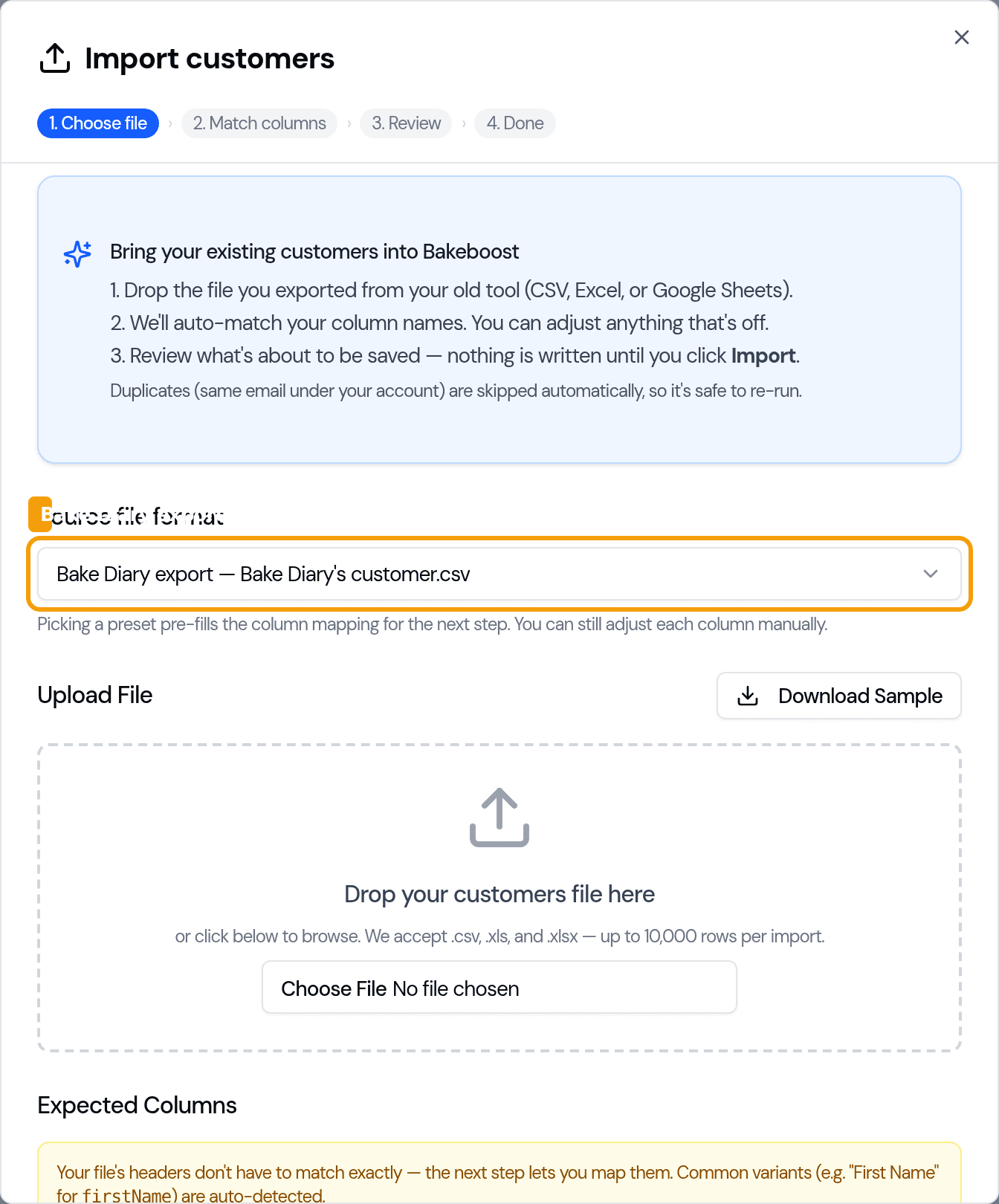
Step-by-step: Import from Bake Diary.
Bring your products across
Go to Products and choose Import:
- Upload a CSV or Excel file. Each row needs a product code, a product name and a
stock quantity (use
0if you don't track stock). - Put prices in as plain numbers —
4.50, not$4.50or4,50. - Import your product list once: unlike customers, products are not de-duplicated, so re-running the same file creates copies.
Step-by-step: Import products from a spreadsheet.
What you can and can't import
| Can import today | Not yet |
|---|---|
| Customers — from Bake Diary or a spreadsheet | Orders |
| Products — from a spreadsheet | Ingredients, and bulk-updating records that already exist |
Import creates new records — it doesn't update existing ones. And each import handles up to 10,000 rows per run, so split a bigger file and upload it in parts.
Tips for a clean import
- Start from the sample template in the import dialog and line your columns up to it.
- Prices are numbers. Strip currency symbols and use a dot for decimals.
- Keep the
+on phone numbers — they're imported as text so the country code survives. - Re-run customers safely (email de-dupe); import products once to avoid duplicates.
- Do customers first, then products — then you're ready to start taking orders.
Good to know
- Two quick imports get you going: customers and products.
- Bake Diary is first-class. The preset maps its export for you, and its
_x000D_note garble is cleaned automatically. - Customers de-dupe, products don't. Re-run a customer file freely; upload products once.
- 10,000 rows per run. Split larger files.
- Orders and ingredients can't be imported yet — you'll add those in Bake Boost as you go.
Related questions
- Can I import my data from Bake Diary?
- Yes. Import your customers and products from a Bake Diary export (or any CSV/Excel file). The Bake Diary preset maps the columns for you, and its `_x000D_` note garble is cleaned up automatically.
- Will importing twice create duplicate customers?
- No — customers are de-duplicated on email, so it's safe to re-run a customer file. Products are the exception: they aren't de-duplicated, so import your product list only once.
- Can I import my orders into Bakeboost?
- Not yet. You can import customers and products today; orders and ingredients aren't importable, and imports create new records rather than updating existing ones.
Last updated August 4, 2026