
Charge a card fee without it counting as tax
If you have been adding your card surcharge as a tax rate, this guide is for you. Setting it up as a fee takes about a minute and fixes two things at once.
Why a fee is not a tax
The two are charged on different amounts, and that is the whole point:
- A tax is charged on the goods. It is never charged on top of another tax — no tax authority charges tax on tax. So if every item on an order already has its own tax rate, a second rate added at order level has nothing left to land on, and it charges almost nothing.
- A fee is charged on everything. Items, delivery and tax — because that is the full amount that goes through the card machine, and that is what the card company takes its cut of.
There is a second difference that matters at tax time. Your tax report totals up the tax you collected on the government's behalf. A card fee is your own income, not tax you are holding — so counting it as tax means paying tax you never collected.
1. Mark the rate as a fee
Go to Settings → Tax. Your rates are listed under Your tax rates.

Add a new rate (or edit the one you already use for your surcharge) and tick This is a fee, not a tax. The tax options disappear, because none of them apply to a fee.
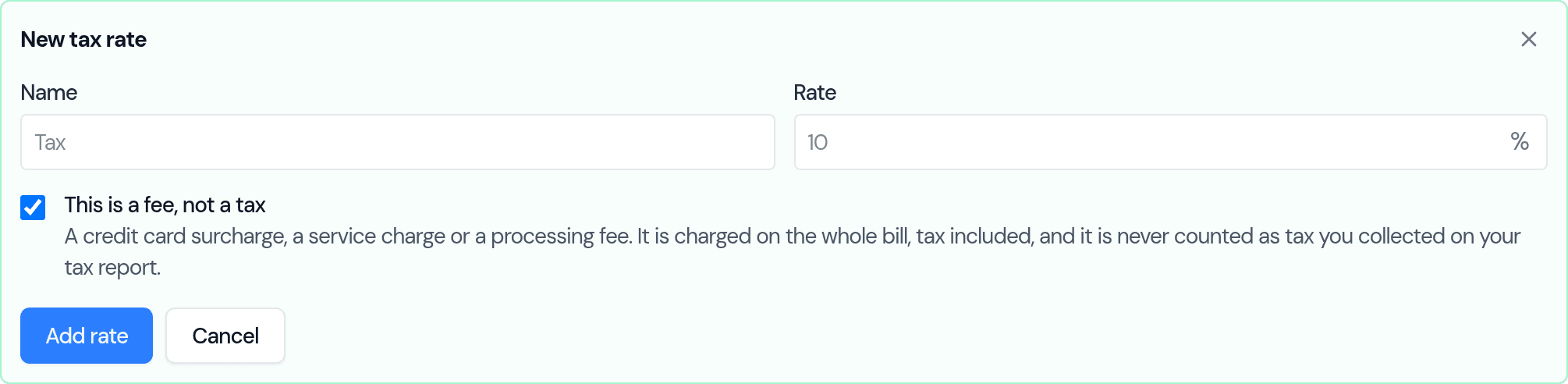
That's enough to use it: the fee now appears in the rate box on any order, labelled (fee) so you can tell it apart.
2. Add it to card orders automatically
If you charge the fee on most orders, let Bake Boost add it for you. Go to Payment Gateways and find Card fee.
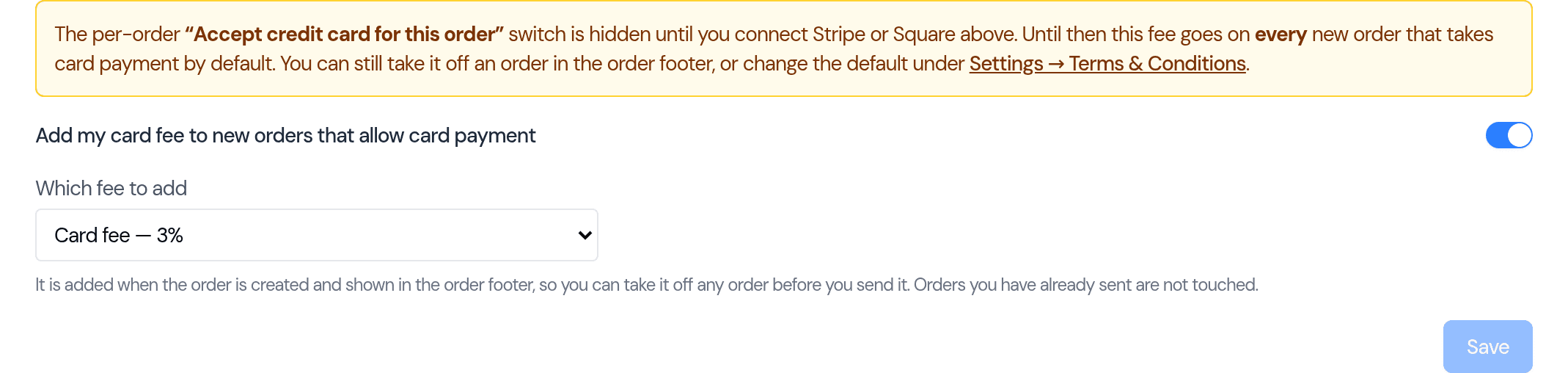
Turn the switch on and pick which fee to add. From then on, every new order that allows card payment starts with the fee already on it.
3. What you see on the order
The fee sits on its own line in the order totals, under the tax and delivery:
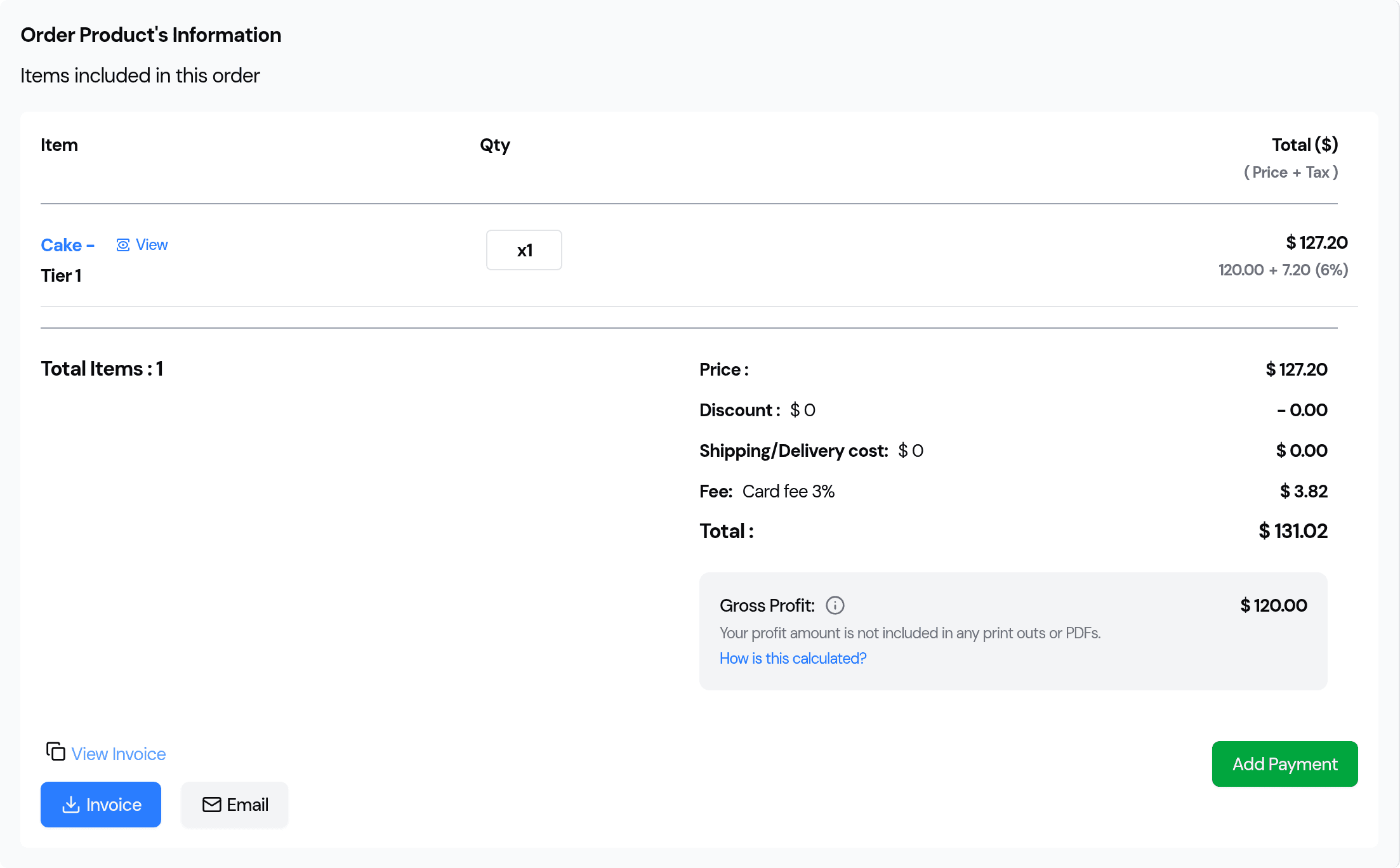
Reading it through: the cake is 120.00, its 6% Sales Tax adds 7.20, and the 3% card fee is charged on the 127.20 the customer actually pays — 3.82, not 3.60. Total 131.02.
To take the fee off one order, click the × on it in the rate box. To add one by hand, pick it there like any other rate.
4. What your customer sees
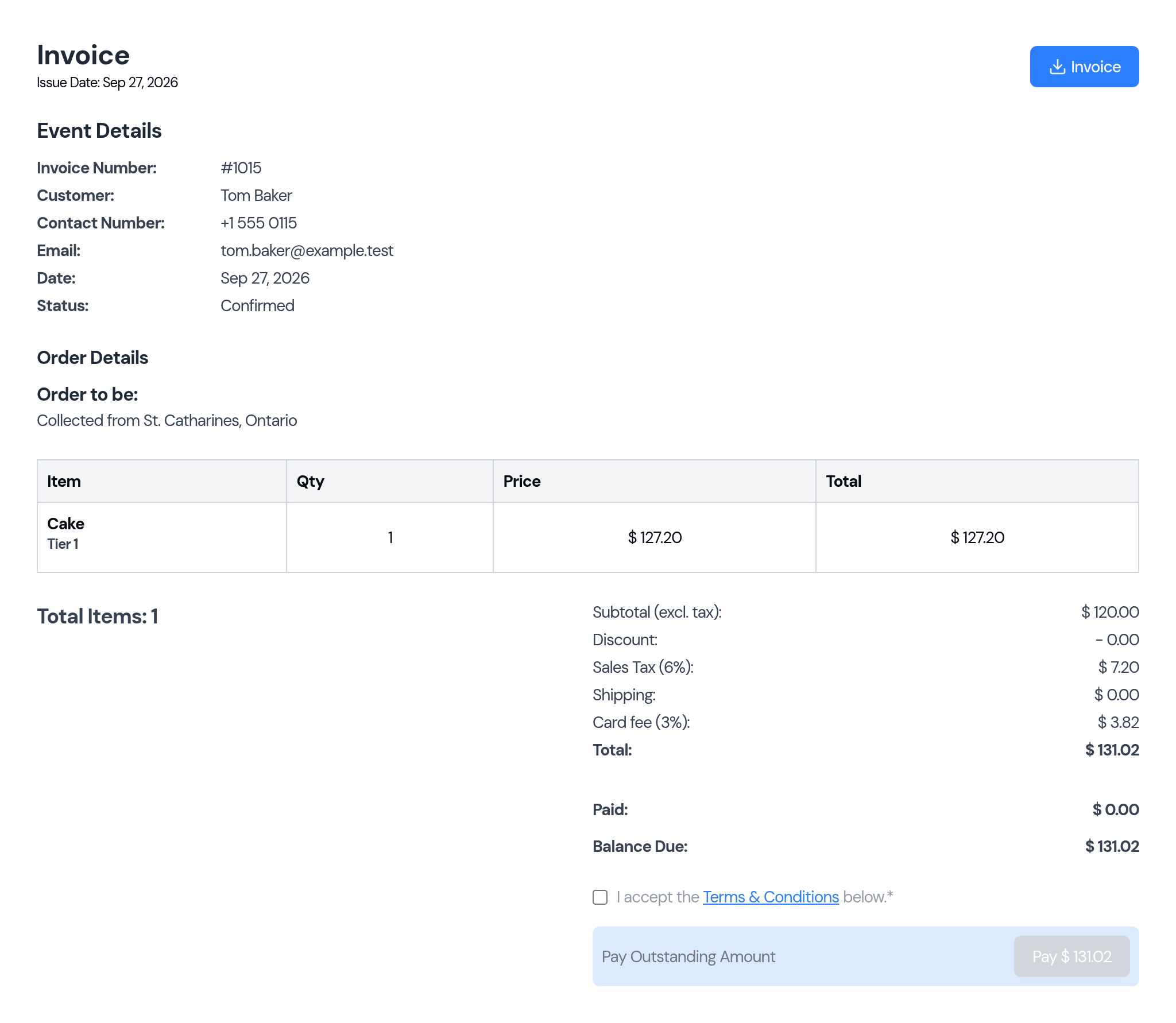
The invoice shows the tax and the fee as separate lines, so nobody has to guess what they're being charged:
5. What your tax report shows
This is the part that protects you. Open Reports → Tax Summary:
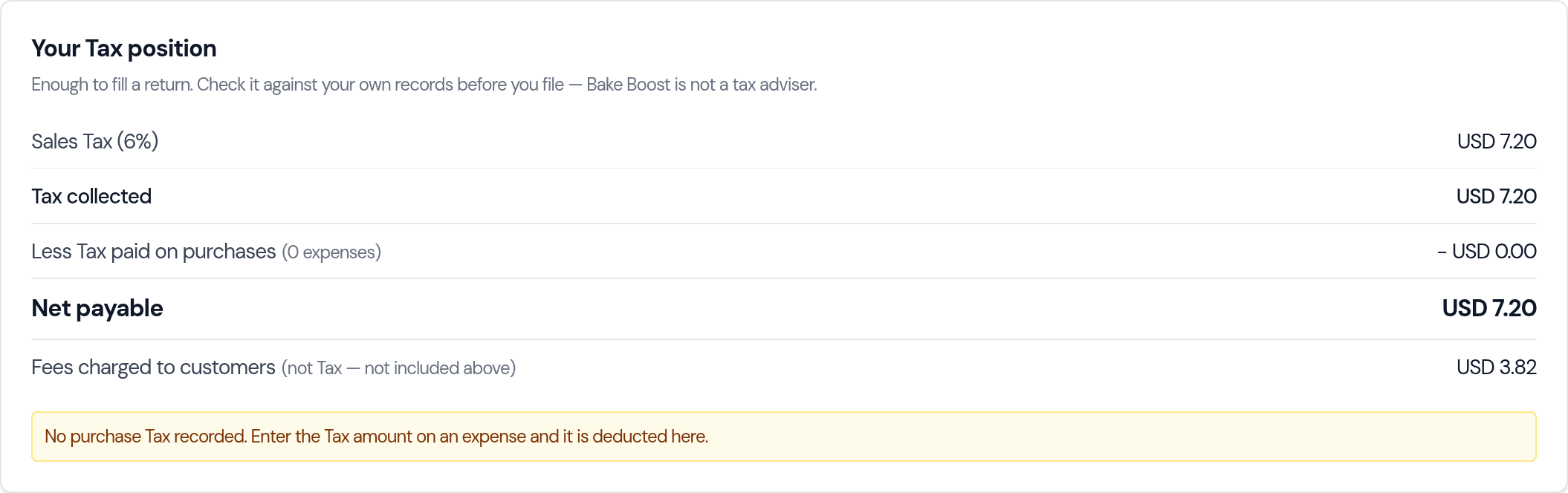
Net payable is 7.20 — the tax, and only the tax. The card fee appears underneath as Fees charged to customers, clearly marked as not included above. It is there so the figure isn't simply missing from your records, not because you owe it to anyone.
Good to know
- Your existing orders don't change. Marking a rate as a fee changes how new orders are priced. Invoices you have already sent keep the figures they were sent with.
- You can still charge tax as well. A tax and a fee can sit on the same order. The tax is worked out first, then the fee is charged on the total including it.
- A fee is never taxed. Whether a surcharge should itself be taxed is a question for your own accountant — Bake Boost is not a tax adviser, so it doesn't decide that for you.
- No card gateway needed. A surcharge applies just as much to a card taken on a terminal or over the phone. If you haven't connected Stripe or Square, the per-order card switch is hidden, so the fee will go on every new order until you take it off — the setting says so on screen.
- Retired rates stop applying. If you archive or delete the rate the switch points at, or flip it back to a tax, the automatic fee quietly stops rather than charging something unexpected.
- Adding tax itself is covered separately in How do I add tax (VAT or GST) to my invoices?
- In a hurry? How do I add a credit card surcharge? is the short version of this page, and answers why a surcharge added as a tax rate ends up charging 0.00.
Last updated September 27, 2026